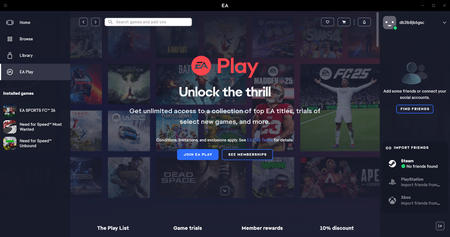
EA Play - Steam Account Sync
I have a new Steam Account (Windows) and yesterday purchased the EA Play through EA, the accounts are linked and Steam can see the subscription but its not showing in the EA Play site. I can't see any of the EA Content that's meant to be part of the EA Play deal and everything still comes at a cost. What am I missing?Solved29Views0likes4CommentsMissing 10% discount in Apex Legend with EA play
I've just subscribed EA play monthly on PC EA App in order to get the 10% discount purchasing the coins in Apex. But it didn't work when I started Apex on Steam. I do linked my Steam and EA account. I can not find any solutions on the EA help and I tried restarting my PC which is still unfixed. How can I do to solve this problem? Can I get refund and resubscribe EA play on Steam?Solved58Views1like1Comment
I should be financially compensated for your mistake.
Hello EA Support, I am following up regarding Case #254717101. I purchased EA SPORTS FC 27 Ultimate Edition through Steam on August 31, 2026, and my Steam purchase history clearly confirms the Ultimate Edition purchase. However, my EA account is still being recognized as having the Standard Edition. Because of this issue, I have been unable to access the FC Points, Ultimate Edition rewards, Pre-order rewards, and packs that I paid for. This issue has already caused a significant delay, and I have missed the opportunity to use my FC Points and open packs during this period while other players have been able to use their Ultimate Edition benefits. I understand that the issue has been escalated to the FC27 Studio Team under Case #254717101, but I would like to formally request compensation for the delay and the loss of access to the content and benefits included with my purchase. I am requesting: - Full restoration of all missing FC Points - All eligible Ultimate Edition and Pre-order rewards - Access to all missing packs/content - Additional compensation for the delay and inconvenience, considering the time I have been unable to use the benefits I paid for Please review my case and provide a fair compensation in addition to restoring the content that is already included with my Ultimate Edition purchase. I can provide my Steam transaction details, purchase confirmation, and any other proof required. Thank you, and please keep this request attached to Case #254717101.22Views0likes0Comments
Unknown EA account linked to steam and google email
i cant play apex for a while because my an unknown EA account linked to steam and google email.i cant log in my game from steam or ID name. The hacker changed my id name,too.So far i have 'Contact us' in this page many times to get thing back.But none reply.My friends have up to GOLD,and me stuck in this **bleep**..............OMGSolved178Views0likes4CommentsEAPlay subscription, "You Don't Have Access" when trying to launch games.
I purchased a EAPlay subscription 13/04/2026 9:35pm GMT via steam, then proceeded to download and try to play Dragon Age: Inquisition to be met with "You Don't Have Access" when trying to launch, however I was able to download and launch MySims through Steam EAPlay just fine. The steam account is connected to my EA account, both use the same email, I've tried signing in via steam on the EAapp, Clearing the cache, relinking the steam account, signing in and out of steam and EA ensuring EABackground processes was ended, restarting my PC, reinstalling all the VC files found in the game folder, I've tried disconnecting the wifi and launching the game offline to be met with the error "You've been offline for a while" in which it then asks me to restart and re sign in, I've tried launching the game exe as administrator to then get "Game ownership disabled or deleted" error. My graphics drivers are all up to date. I've done sfc /scannow. I just want to play Dragon Age, I've purchased a subscription for that, please if anyone knows a fix or solution. EA App version: 13.680.0.6193 Reporter ID: c1779142-8970-4ba5-9eb9-e73e4ec33cc0244Views1like0CommentsEA PLAY subscription not showing up in EA app after purchasing through steam
i recently purchased an ea play subscription through steam and when i launch the apps it fails i then try to sign into ea through steam but still isnt working then i try to check in ea play of i can get the games directly and my subscription isnt showing up ? please help453Views0likes1Comment
FIXED EC:10607 & Error: 6 (unable to load cloud save or create a new save)
After troubleshooting for 3-4 hours while trying to play NFS Unbound after playing perfectly fine 4 months prior. I identified the root cause. In an effort to keep this Post straight to the point, I will go into more detail after explaining the solution. Solution: 1) Open File Explorer, right-click on your document folder 2) Click the "Location" tab 3) Verify the directory shown is accessible 4) Navigate to the folder, Right-click and make sure it is NOT Read-only or requires special permissions to write into. Ensure Admins have the ability to write/read the folder as well. 5) [If Installed] Open OneDrive, Go to Settings 6) and toggle off the backup for the documents folder. 7) Even if your One Drive was backing up a "document" folder in a non-C-Drive whenever it's set. It actually changes Windows 11's default location for "user\username\Documents" 8) Once the above steps are complete. EA Play should be able to write Saved Data again. Addressing the root issue behind EC: 10607 & EC: 6 Please reply with any questions, concerns, or suggestions.👍 And yes! Your Cloud Saves will be retrieved from EA and placed on your PC, provided you did not override them by signing in on another PC that did not have write issues. 🙌 [Details for those who care] The REAL problem & cause of both EC: 10607 & 6 (while in game) When you try to start a game and see --> EC: 10607 "Cloud save may be corrupted...please create a new save" - This could be the case, but it REALLY means "We attempted to download your cloud save and paste it in %USERPROFILE%\Documents\[Game name] folder AND then we read that location to confirm that the save data was INTACT, but discovered that it was NOT, so we are showing you this error as we believe OUR copy of YOUR cloud save must be corrupted." - Aka, your folder is either deleted, or permissions are not allowing the EA Play app to write to the directory. - This is commonly an issue after people upgrade to Windows 11, their pc or install new cloud management software. Why? Well, because typically people get new Storage devices, sometimes removing the original one, installing - Windows 11 could also rename the drive Letters, leading to a "misplacement" of the saves, or Cloud Storage management software like Google Drive or OneDrive could be manipulating your computer registry to point to an old location. My Personal Experience --> In my case, my original HDD failed, so I upgraded to Windows 11 & installed OneDrive. All over the course of 5 months. When the game landed on a Steam sale, I thought it was a great opportunity to secure a copy and play with friends. - But every time Steam would launch the EA APP, the EA App would forcefully try to read or write to my documents folder, crashing the game even after selecting the "create new Save" option. - EA Play UNLIKE Steam, ONLY saves to that variable Address, it does not care where the document folder is located, but is HARD-coded to save to what your OS considers to be the "document" folder, even if it's non-existent. In Conclusion EA did a poor job of providing clear error feedback to the user and completely misled them due to inadequate error checking & handling. Which led to so much confusion in the beginning. Not receiving access to a folder or seeing that the directory has ZERO files after "attempting a write" is very different from a file being written successfully to the local drive and then being corrupted...1.2KViews0likes6Comments
EA Play Pro not applying to bf6
I purchased EA Play Pro today to play bf6 multiplayer but it's not applying in-game. I had originally downloaded the game from steam, but subscribed through the ea play app. I have uninstalled, reinstalled, deleted files, everything, but nothing seems to work. Please Help!241Views2likes4Comments