Forum Discussion

Relywan2di's avatar
5 years ago
Solved

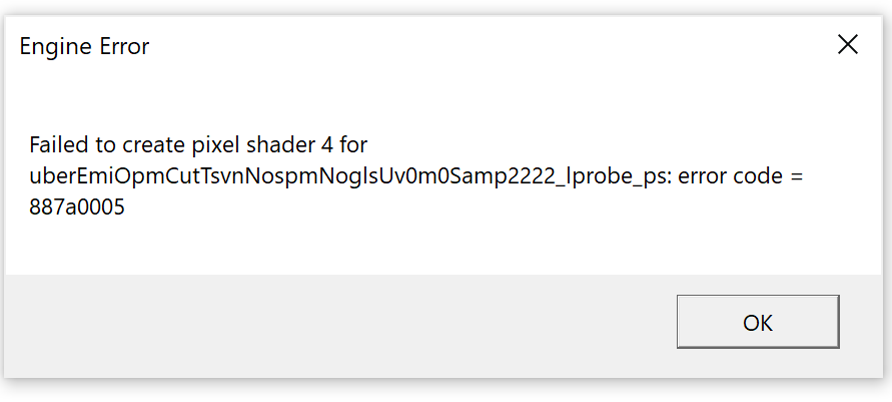
Failed to create Pixel Shaders 4 error code=887a0005

I recently just had apex legends installed however whenever I boot the game after a few minutes after the EA logo appears it shows a white screen and displays an error message. 


In the process of downloading it on origin I was able to play it right after 43% with no problem, but because the game was still in the middle of downloading I suffered with constant spikes in my ping.


I had already tried some ways of fixing the issue that I have found online to no avail. I also had reinstalled this game from origin and now from steam, still has not work.

  • @EA_Atic I tried to clean boot a while back as per suggested to another user facing a similar problem, but still didn't work. However, just recently I got Apex to work miraculously despite not doing any sort of solution after posting this question. As far as I can remember all I did was restart my Windows explorer on my task manager for a totally different reason.

    But anyway here's my Dxdiag nonetheless.

4 Replies

  • i have been having same issue since yesterday also. it will do a 887a0005 or 887a0006 code everytime after i click continue. tried uninstalling and reinstalling on both origins and steam. made a post as well. maybe me commenting on yours will bump it. so we both can get some help.

  • EA_Atic's avatar
    EA_Atic
    Icon for DICE Team rankDICE Team
    5 years ago

    Hey, @XtraGrlledOnions  @Relywan2di can you try a clean boot to see if any programs are messing with APEX and turn off any overlay programs, such as Discord or Nvidia experience.


    Can you add a Dxdiag so we can see what hardware and drivers you have? 


    Let me know if this works or not for you. 🙂


    /Atic

  • @EA_Atic I tried to clean boot a while back as per suggested to another user facing a similar problem, but still didn't work. However, just recently I got Apex to work miraculously despite not doing any sort of solution after posting this question. As far as I can remember all I did was restart my Windows explorer on my task manager for a totally different reason.

    But anyway here's my Dxdiag nonetheless.