@Haubica1 Thank you. I saw a few things.
First, we need to check for Windows and GPU updates - Make sure all Windows updates and optional updates are completed. For the GPU drivers, make sure you do a custom install that removes all current drives and replaces them with new ones.
Also, make sure you add exceptions for the EA App and BF into the Antivirus and give Windows any permissions.
Now, if this doesn't work, we need the below info on this link for tracking.
- EA App/Steam/Epic:
- EA ID/Steam user ID:
- Windows OS
- Windows OS version
- GPU model and driver version::
- Region:
- Are you using an internal or external drive?
- Are you using an HDD or SSD?
- Date this issue started (is it still happening?)
- Any other errors?
- If possible, share a Screenshot or Clip...⬅️We love these
- Please attach a DxDiag
- Attach the EA App Error Report ID Here

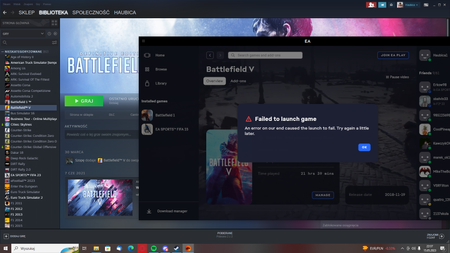







.png)