Forum Discussion
Hello everyone,
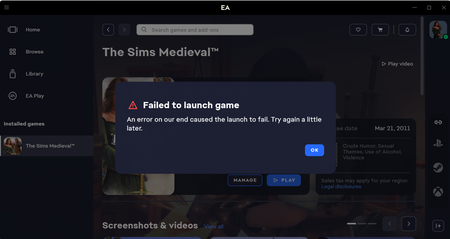
Are you currently experiencing problems launching your game?
Here are some solutions that might help you.
This post helps avoid duplicate posts with the same problem.
In this post, we will only address the error “Your game failed to launch or "000005 error” As well as simple and non-advanced resolutions.
Before making any changes to your PC, you must first check whether the problem can be resolved using the “EAAntiCheat.Installer.exe” tool available here: https://cdn.eaanticheat.ac.ea.com/EAAntiCheat.Installer.exe
Follow the official steps: https://help.ea.com/en/articles/platforms/pc-ea-anticheat/
Is your problem still unresolved despite the official advice ?
I'm here to help. The solutions will be sorted by category (nvidia,amd...)
Remember to disable your background applications before starting the tutorial. I would also like to point out that MSI Afterburner and Rivaturner software are not compatible with anti-cheat software.
NVIDIA GPU
This category should only be followed if you have an Nvidia card*
First solution ; Restore driver setting
After that, start your game.
Second solution ; Install version 577.0 of your NVIDIA driver.
(NOTE: As I mentioned, these are simple repairs to help novice users. If you are an advanced computer user, uninstall using DDU)
Go to the Nvidia driver website and install version 577.0 (after specifying your graphics card; if you don't know your graphics card, press Ctrl + Alt + Del and select “Task Manager” Click the “Performance” tab and select “GPU” in the left navigation panel > https://www.nvidia.com/en-us/drivers/
After installation, open it and proceed with an advanced installation, then select “perform a clean installation”
Once the installation is complete, restart your PC and launch your game.µ
After that, launch the EA Javelin anti-cheat installer available here > https://cdn.eaanticheat.ac.ea.com/EAAntiCheat.Installer.exe
And click "Repair"(A page will open, and all you have to do is select the installation folder of your game)
Then launch your game.
AMD GPU
This category should only be followed if you have an AMD card*
(NOTE: As I mentioned, these are simple repairs to help novice users. If you are an advanced computer user, uninstall using DDU) Make sure you have the latest version of the AMD driver via > https://www.amd.com/en/resources/support-articles/faqs/GPU-131.html
First solution ; Disable AMD optimizations for Battlefield 2042
- Disable AMD optimizations for Battlefield 2042 via the AMD Adrenalin app, available here > https://www.amd.com/fr/products/software/adrenalin/software-performance.html#download
Once in the application, go to the "gaming" tab, select your game “Battlefield 2042” and disable all optimizations related to the game as shown in the image.
After that, start your game. (Thanks to H4RP33R for this solution)
Second solution ; No other solution for AMD has been registered; for now, the first solution still seems to be working.
The game still doesn't work after doing all that ?
Your problem may also stem from your Windows updates, which can sometimes cause corruption and licensing issues. I should also point out that this does not happen for all users; sometimes updates do not cause any problems.
First solution : Uninstalling Windows updates that could cause the problem
For now, here are the updates causing problems: KB5063878 - KB5064081
To uninstall these updates, follow these links:
Windows 10 > How to uninstall a Windows Update (windows 10)
Windows 11 > How to uninstall a Windows Update (windows 11)
After uninstalling the update, restart your PC.
After that, launch the EA Javelin anti-cheat installer available here > https://cdn.eaanticheat.ac.ea.com/EAAntiCheat.Installer.exe
And click "Repair"(A page will open, and all you have to do is select the installation folder of your game)
Then launch your game.
Second solution : Clear cache
--EA app--
If you're using the EA app, perform an app recovery (the app will restart), then “repair” your game.
--Steam--
If you use Steam, go to the Steam settings in the “Download” tab, click “Clear Cache,” then repair your game (on Steam, this operation is called “Verify Integrity of Game Files”).
Then launch EA app and Steam in administrator, after full launch, start the game.
Third solution: Disable the EA App overlay
------------------------------------ Last edit 04/09/2025------------------------------------
Thank you for your attention 😄
As I mentioned above, these are only simple solutions that do not involve using CMD. Other simple solutions will be added along with advanced options.
If you are still experiencing issues, create a post on the forum with a DxDiag >
Press the Windows and R keys at the same time.
Type DxDiag in the window that appears, then click Save all information and save the file wherever you want.
Then drag and drop the file here, then click Share - add the .txt file as an attachment to your post.
- Steeve_BF6 months agoSeasoned Ace
[INFO - MARKED AS SOLUTION FOR VISIBILITY –]
- andregonzalez6 months agoNew Novice
Yooo Steeve thanks the Nvidia driver rollback did it for me. I tried everything else even reached to EA, they know nothing apparently, and nothing worked. Makes sense because Nvidia updated the same time the Iwa Jima update came out. The fact that BF6 worked fine but BF2042 didn't totally threw me off. I'll remember the graphic driver rollback causes chances are this is gonna happen again. You rock bro. Headed to downdector.com to spread the word
- giovannixox6 months agoRising Newcomer
This method works if you are receiving that error code or the error code 136 that the anticheat is not updated on the system. I followed the steps to the t. If you cant find your driver just look up google "Your Graphics Card" then driver version 577.0
Thank you very much as I just purchased the BF 2042 deal theyve got going on and I couldn't even load up the game! Big shoutout to Steeve_BF!Spreading the word as many people are undergoing this issue.
- Liv4Lax26 months agoSeasoned Novice
Thanks for reaching out on the prior post. I've attached my DxDiag. Not sure what it is but hoping there is something in there that can assist.
- Steeve_BF6 months agoSeasoned Ace
Thanks for your DxDiag.
After analyzing it, I noticed that you don't have a graphics card, only your "integrated AMD Radeon (iGPU).
Is that normal? Or you do have a graphics card.
Let me know 🙃- Liv4Lax26 months agoSeasoned Novice
My setup up is more or less "right out of the box". I have not done anything to it. It is just the hardware that came with the laptop. I know that I have AMD but I did not install any other graphics card.
- Sl0wie4566 months agoRising Novice
Steeve_BF it still didnt work you looked in my dxdiag file already at my own post and it didnt work sadly i dont know what to do now
- F4NCYPL6 months agoSeasoned Novice
Hi, thank you so much for your nice guide on how to fix this issue... After few days of battling this problem, I finally managed to get Battlefield 2042 to launch properly by following your second solution... Which is to perform a clean installation of an older Nvidia Game Ready Driver 577.0... So, to anyone facing a similar issue with Battlefield 2042 for example, I strongly recommend that you give this a go... NVIDIA PLEASE... ;'( XD
- akleitz4 months agoNewcomer
Hi Steeve,
Appreciate any help you can provide here. I've tried all the fixes you listed above as well as countless other methods I've found on other threads. Please see my DxDiag attached. I am not sure what is going on. Event viewer provides:
"The following information was included with the event:
EAAntiCheatService
The game fc26.exe exited unexpectedly, exit code: 0xC0000005"
I've rolled back my Nvidia driver to 577.00, uninstalled and reinstalled EAAntiCheat, reinstalled the entire game, cleared EA cache etc.
Please let me know what you think might resolve this. - Larraydesfaiss4 months agoNewcomer
Hey Steeve_BF it did'nt worked for me, this is what I tried :
-launch with dx11 and 12
-clear EA cache
-remove overlay
-set the 577 pilot
-set the lastest pilot
-delete the game and install completely
-repair battlefield and EA
-launch the game on steam rather than EA
-launch EA and battlefield an administrator
-repair the anticheat and after reinstall it
and i tried to restore driver settings but he say there was a problem restoring settings.
Hope you gonna help me 😅here is my dxdiag if you need