chiobuxmm
5 days agoSeasoned Novice
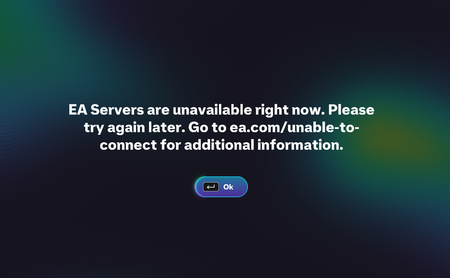
SEA region cannot connect to EA Server.
Hi I am having issues to connect with EA server since 8:45pm yesterday, I thought there are a maintenance underway on that time. This morning I am trying to login within the game and still can not co...
 1 hour ago
Hello everyone,
After a full investigation, the connectivity issues you are getting are ISP related. There no action we can do on our side to give you access.
The best thing you can do is to contact your ISP.
As a workaround, you could also try the steps that 2393924 recommended:
- Change your DNS to Google DNS
- Open Control Panel → Network and Internet → Network Connections.
- Right-click your active network connection and select Properties.
- Select Internet Protocol Version 4 (TCP/IPv4), then click Properties.
- Choose Use the following DNS server addresses and enter:
- Preferred DNS server: 8.8.8.8
- Alternate DNS server: 8.8.4.4
- Flush your DNS cache
- Open Command Prompt as Administrator.
- Run the following command: ipconfig /flushdns
- Restart your PC
- Restart your computer to ensure the changes are applied.
- Change your DNS to Google DNS