Forum Discussion
142 Replies
 b3njamin913 months agoSeasoned Adventurer
We are waiting since two months for them to fix that. I preordered in ps5 …..
- Mike4tr3 months agoNew Novice
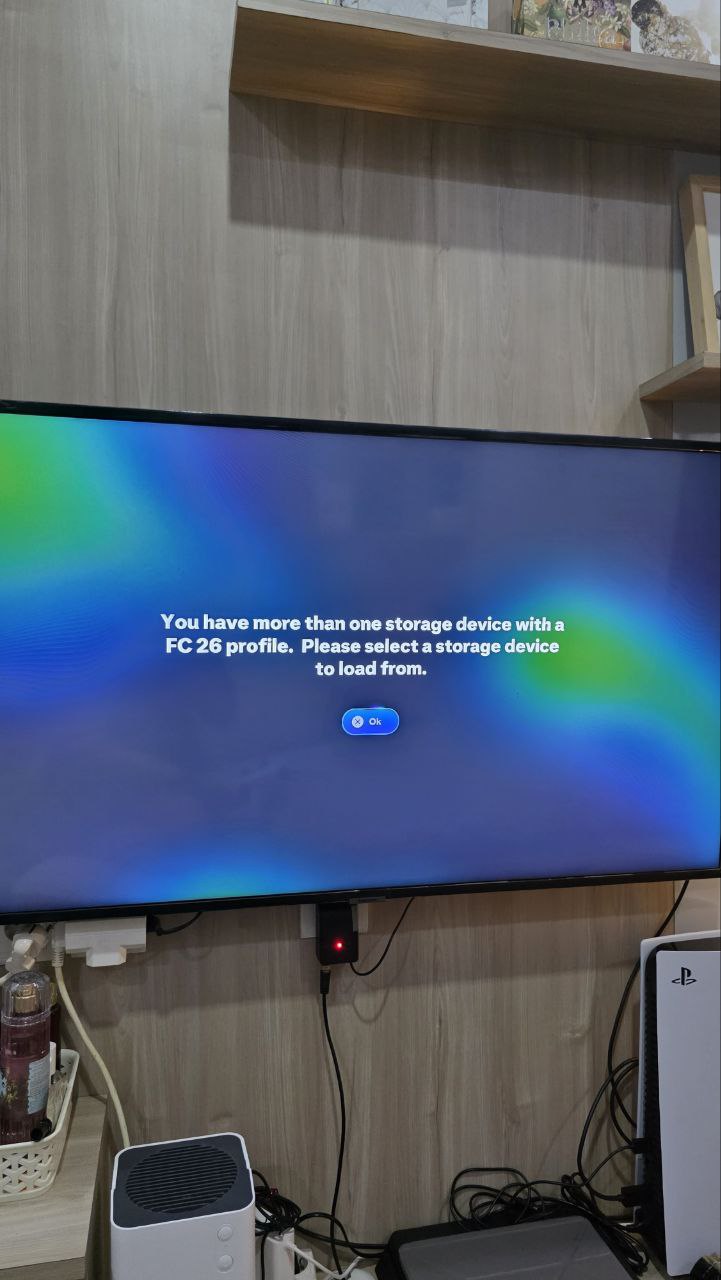
How do I fix the FC26 more than one storage device. Please select a storage device To load from. Problem on the Sony PS5.
I have deleted any remaining data from the cloud and I only have date on my console but it’s still stating I have more than one storage device when I just don’t?
- b3njamin913 months agoSeasoned Adventurer
Same problem. We are waiting for them to fix that. You have to delete your save files. You Will loose all progress….
- b3njamin913 months agoSeasoned Adventurer
You See? They just keep on ignoring. Tired of that. Next year I ll buy fc27 on sales 🤣 definitely not going to preorder and paying for being a tester for an unfinished game. They even tried to block me already on here just for saying that I think they do it on purpose so people play ultimate team meanwhile and spend more money on the game!
- Mike4tr3 months agoNew Novice
I’ve told them to refund me as it’s pointless owning a game you cannot progress with.
Hope they find a fix soon
- IXI_The_Wolf_IX3 months agoRising Novice
I'm experiencing a persistent issue with EA SPORTS FC 26 on PS5 where I receive the following message: "You have more than one storage device with FC 26 profile." Despite deleting the game data, reinstalling it, unlinking my EA account, and even formatting my PS5, the game still loads the same profile. I believe the problem lies with my profile ID stored on EA's servers. I respectfully request that my FC 26 profile be reset or deleted so I can start fresh.
- Ryry87293 months agoSeasoned Newcomer
I keep getting this error and cannot fix it. I don’t have another device I use. How is this possible and how do we fix it?
 XxLynxFlowxX3 months agoRising Newcomer
You have more than one storage device with a FC 26 profile. Please select a storage device to load from.
Got this message on my screen a week ago now and it still will not let me get past it. I’ve seen some people say it is about the checkpoints in career mode and frankly that is incredibly embarrassing from a company like EA. I’d rather not delete all my saves as I’ve been enjoying them quite a bit, any one have a fix on XSX?- b3njamin913 months agoSeasoned Adventurer
Did they fix it?
- RichBean333 months agoRising Newcomer
Dear admin & friends
Hopefully the problems that I convey below can be handled by friends here or even by the admin of Fifa26 itself.
So, last September I bought the Fifa26 game digitally. Everything was normal after downloading and playing for 3 days, but on the fourth day, suddenly, the game could not be opened (photo attached). I tried to find a solution through GPT Chat, especially for Repair Console Storage, Restore Default Settings, and Clear Cache and Recreate Database, but it is still not working either successful.
I tried all the methods suggested by friends and PlayStation technicians in my area (Bali & Jakarta, Indonesia), but no one has helped. I also tried adding an Internal SSD memory, but that didn't work either, including subscribing to PSN again.
The solution I did the last 3 times was to delete the ‘game data’. After that FIFA26 game can be played again. But every time the game is played, where I mostly play Manager Club, less than a week later, this Fifa26 game cannot be reopened. I'm tired of having to start the Fifa26 game all over again for Manager Career.
Please help me to solve this problem.
Featured Places