Forum Discussion

raeynbow's avatar
raeynbow
Seasoned Novice
26 days ago

Sims 3 through EA 64-bit version missing or not working?

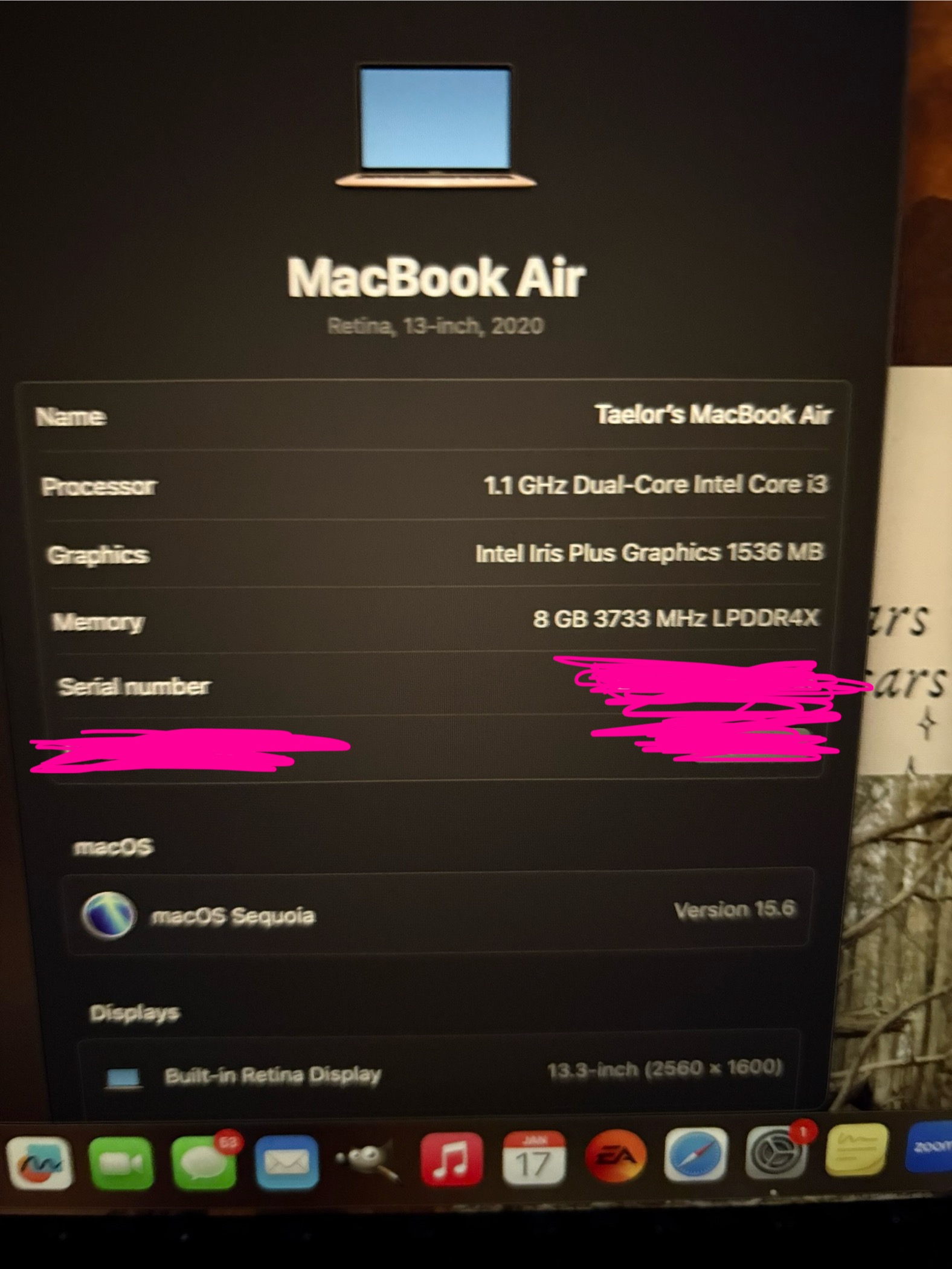
Hi I really wanted to play sims last night so I logged on and downloaded the EA app. I have a MacBook air running macOS Sequioa 15.6. I downloaded everything and tried to run it but it doesn’t get past the second loading screen after starting a new save. I have never tried to play on my Mac prior to last night. I’ve been reading posts saying that if it loads at all it’s the 64- bit version but the system requirements don’t say that. So I’m just confused and I tried contacting EA support and she said it’s there but I don’t see it. Is it a separate game? Or is this it? I’ve attached pictures of my Mac info and my EA library. Thanks so much for your help!! 

18 Replies

  • raeynbow's avatar
    raeynbow
    Seasoned Novice
    20 days ago

    Ahh okay, gotcha! this is my first time playing this pack. Sorry about that should be fixed now. are you saying you were still able to load it? One of my recent saves got corrupted after I tried saving it in CAS :( 

  • raeynbow​  I can see everything now, and I took a look at the scripterrors.  In chronological order, the first and last are simple correction logs, just reports of ErrorTrap doing its job.  The fourth is something of a correction log too but lists a large number of "unhandled" errors.  It looks like those are all coming from various sims' dream managers, and you could probably clear them up by installing NRaas Dreamer.

    The second and third scripterrors are from Traveler and involve an issue with forcing the sims into different outfits.  It's possible that this is specifically about forcing them into the outfits they were wearing when they left the homeworld, but I'm not sure about that.  At any rate, if you were to run into this again, the first step would be to simply switch the outfits they're wearing, and the second would be to change their outfits (using MC Stylist would be the best bet) to something different, and not use custom content if you have any.  You might only need to change the everyday outfits.

    I will take a look at the save later, and if you're interested in what I find, I can let you know.  Either way, I really do appreciate having the save to test.

    As for the crash in CAS, was it after you'd been playing for a while?  CAS is more demanding in some ways than live mode, and the game often has trouble releasing the resources it uses with CAS and Build/Buy modes.  If you'd like to spend a long time in either, it's best to do so right after loading a save, and then save your work and quit to desktop before trying to play forward.

    MC's version of CAS is also more stable than the regular version.  The easy way to use it is to click the sim in question and select NRaas > MC > Advanced > Edit in CAS.

  • raeynbow's avatar
    raeynbow
    Seasoned Novice
    19 days ago

    mhmm okay, I will download that. What is a dream manager? 

    sorry I'm not sure I understand. So when they got sent home? And what do you mean by "forcing"? 

    Yes! I would love to know, I am very curious lol. especially if you get through finals, I def want to know. I appreciate you looking into it! 

    The first time it happened was the first night I started playing again. I had finished a whole sim, and then it froze, so I had to force quit. It happened again after making the next simm, but this time I saved her after each step lol. I didn't have any mods or CC at this point.

    Then, recently, after playing a bit, I tried getting a tat in homeworld and it froze. Then I tried changing hair and outfits using MC Stylist, I think it's called, and it crashed, but like turning white and glitched in and out. I have had no issues in build/buy mode, so that's good!

    I'll try that then and the MC CAS out, thanks for all your help. 

  • raeynbow​  You might have better luck in CAS if you disable Advanced Rendering, which is a check box on the same page as the other graphics options.  You probably wouldn't want to play like that in general though, and switching this setting with a save loaded can have some weird graphical effects (and also possibly cause crashing).  So do your CAS edits, exit to the Main Menu, reenable Advanced Rendering, and quit to desktop before reloading the save.  It's probably fine to briefly go back into CAS to impose a new outfit; this is more about spending a lot of time there.

    MC Stylist is a pared-down version of MC CAS, so if you had issues with Stylist, MC CAS won't be any better.  In fact, I'd strongly recommend using Stylist rather than either form of CAS when you don't need the full functionality of CAS.

    The dream manager is the game function that controls what wishes appear for your sims.  It's somewhat heavy compared to other functions and can break at times.  Dreamer replaces this with something more stable just like certain other NRaas mods do.  It also has the bonus feature that your sim will get credit for fulfilling dreams that are available but not yet locked in, at least most of the time.  I find that some categories, typically the major ones related to a sim's children (have a baby, learn to talk, age up well, etc.) don't fulfill unless they're locked in, but most do.

    Dreamer also has an optional add-on that prevents wishes from timing out when you haven't promised them, if this appeals to you.  It does mean you'll need to manually cancel (right-click) any unpromised dream you don't care about, otherwise it'll never go away, but I personally prefer that to having to worry about dreams I do want disappearing because I can't fulfill the locked-in ones in time.

  • raeynbow's avatar
    raeynbow
    Seasoned Novice
    16 days ago

    I have advanced rendering disabled already, as I heard it was better for the game to run in general. Should I try the opposite and turn it on?

    sounds good! I resorted to using the built-in game appearance in the mirror and plan outfit lol. Is that the same as the CAS system abd should I just stick with Stylist?

    okay so I have played with this for a few days, and I love it haha I noticed I would hear the little jingle after, and I was like wtf is happening. 

    Thanks!

  • raeynbow​  You can try enabling Advanced Rendering in live mode, to see whether the game is still stable.  The graphics will definitely be better, but that doesn't help if you're getting frequent crashes.

    MC Stylist is a combined Change Appearance and Plan Outfit, but more stable than the game functions, just like many other features of NRaas mods.  So while you certainly can use the mirror and dresser, if either one starts giving you trouble, use Stylist instead.  And these problems would be immediate and obvious (crashing, graphical glitches) rather than something that only affects your save days later, so you can just keep an eye on things and make your own decision.

    I will say that the EA standard functions often reset a sim's age, so if you're playing with aging on and don't want that to happen, Stylist is the clear better option.  But if you install NRaas StoryProgression at some point, it won't matter because SP replaces the game's aging manager with its own and fixes this particular bug.  SP is heavy though, which is why I don't recommend it for performance issues.

    I'm glad to hear you're enjoying Dreamer.  It was surprising how much of a quality-of-life improvement it turned out to be for me, and it's probably my favorite mod aside from those that keep my saves from getting corrupted.

  • raeynbow's avatar
    raeynbow
    Seasoned Novice
    12 days ago

    Sooo I tried to enable it and it crashed. Although re-reading you say not to load a save bit to exit to desktop so I’ll try that! 


    ooo so stylist can change facial features and traits and things like that? 

    Ahh I do have SP lol. What signs would I seee if a save is corrupted? 

  • raeynbow​  No, Stylist can only change the details you could change with the mirror (Change Appearance) or dresser (Plan Outfit).  You'd still need CAS, either the regular or the MC version, to change traits or facial sliders or anything like that.

    It's hard to describe what a slightly corrupt save looks like because the symptoms overlap with issues that are more temporary.  But one telltale sign is an increase in notifications and/or scripterrors from ErrorTrap.  You'll always get one or two scripterrors that are created when you first load the save, and an occasional scripterror and notification in the run of play are not a cause for concern.  But a few in one play session (not including the ones at startup) might be, and repeated errors about the same sim or issue might be too.

    StoryProgression doesn't corrupt saves.  What it does though is make the game more demanding, which, on an underpowered system or combined with other taxing additions, can overwhelm the game engine and lead to save corruption or just general performance issues.  I would suggest running SP on one of the two slowest settings for this reason, and if you're noticing the game start to drag, perhaps increasing the length of some of the managers beyond the default for the slowest setting.  The managers' lengths are in sim-minutes, for example 600 would be ten in-game hours, so higher is slower.  You can find the speeds under SP > General Options > Options: [manager name] > Speed.

    It's totally fine to play with the settings until you get something stable.

    And yes, I did say don't change graphics settings with a save loaded.  There's a reason for that—the game has always reacted badly.

Featured Places