Forum Discussion

raeynbow's avatar
raeynbow
Seasoned Novice
1 month ago

Sims 3 through EA 64-bit version missing or not working?

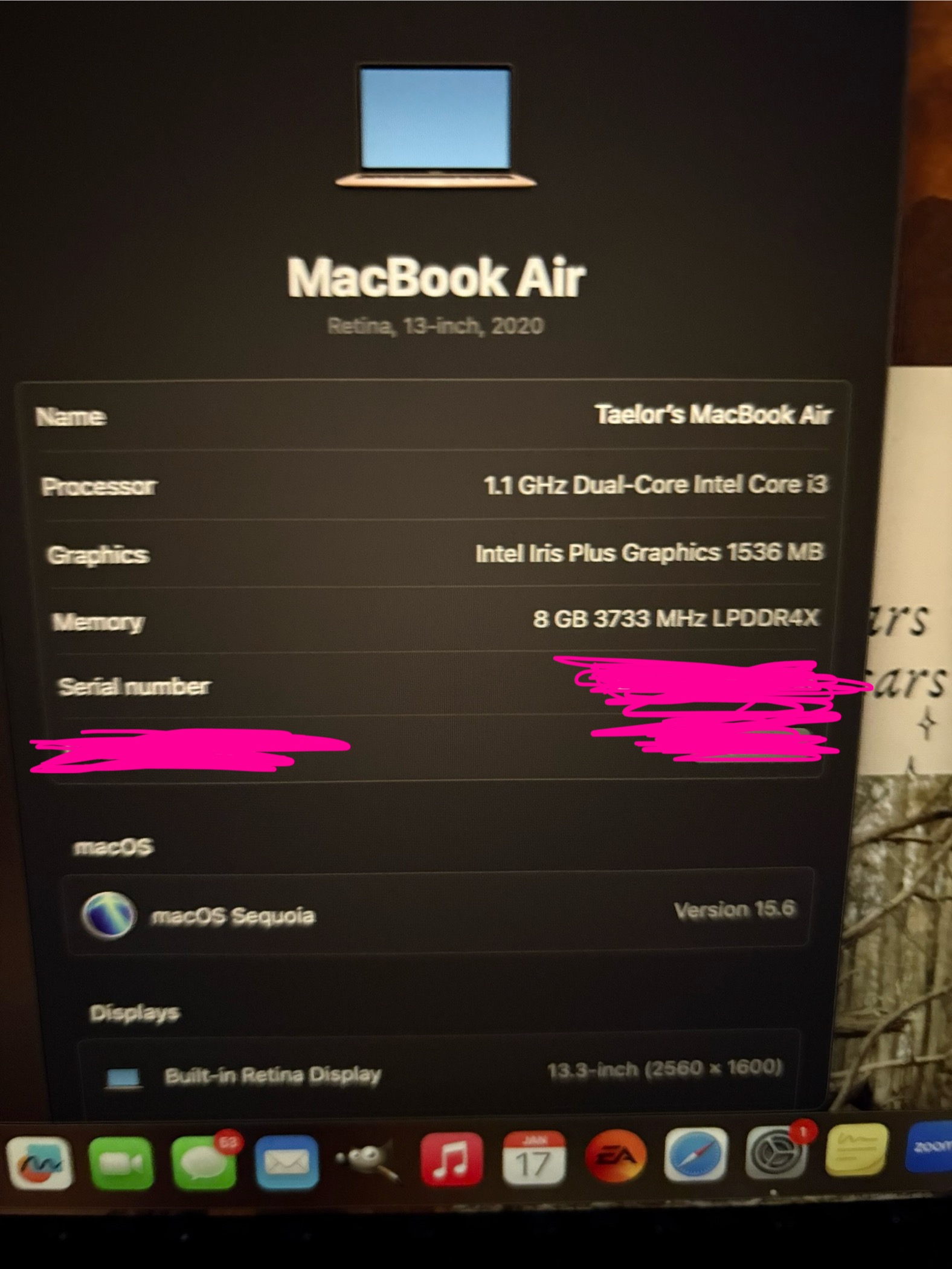
Hi I really wanted to play sims last night so I logged on and downloaded the EA app. I have a MacBook air running macOS Sequioa 15.6. I downloaded everything and tried to run it but it doesn’t get past the second loading screen after starting a new save. I have never tried to play on my Mac prior to last night. I’ve been reading posts saying that if it loads at all it’s the 64- bit version but the system requirements don’t say that. So I’m just confused and I tried contacting EA support and she said it’s there but I don’t see it. Is it a separate game? Or is this it? I’ve attached pictures of my Mac info and my EA library. Thanks so much for your help!! 

18 Replies

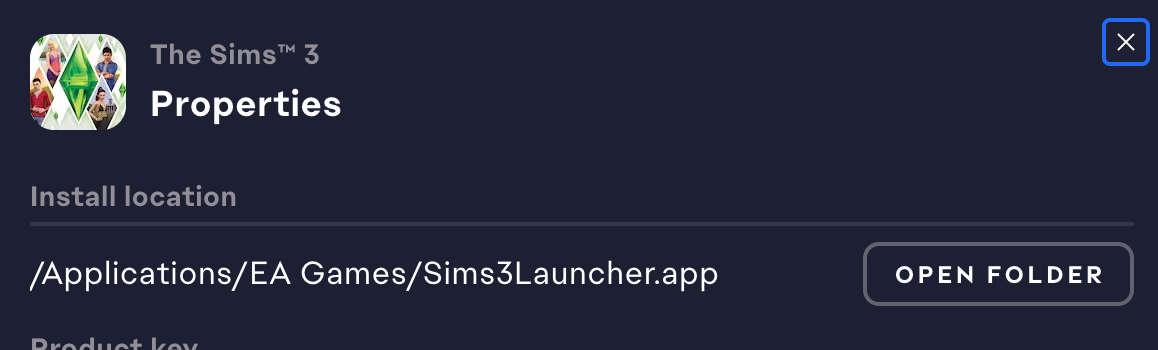
  • raeynbow​  That location for the game install is fine.  I just needed to make sure it wasn't in Documents.

    For the travel transition, try adding Register as well.  And if you were getting scripterrors when trying to travel home, I would like to see them.  Please put them aside before adding Register, as the old ones get replaced by newer ones, and I'd want to see what error(s) you encountered without Register.

    Even better, if you'd be willing to share the save with me, I can poke at it myself.  The developer at NRaas was asking specifically about broken travel transitions coming home from University that are sometimes fixed with Register, and I didn't have any recent examples at the time of the posts.  But I would love to have a current one to test, and to pass along IF you say you're fine with it.  No pressure, just an opportunity to test more vigorously than I've been able to previously.

    If you're willing to share the save, upload it to a third-party filesharing site (Google Drive, Dropbox, etc.) and either post the link here or send it to me via private message.  Zip the save folder before uploading it (right-click and Compress).  Saves are in Documents > Electronic Arts > The Sims 3 > Saves.

    If adding Register doesn't help, I can also see whether the travel transition works on my Mac.  In that case, send me the save and also list the expansions, stuff packs, and Store worlds you have installed, so I can have the same ones in place.  I own everything except Katy Perry Sweet Treats.

  • raeynbow's avatar
    raeynbow
    Seasoned Novice
    1 month ago

    hi sorry I am not getting a notice that you replied. This is what it shows. Also, I wanted to update; I have started a save. It crashed once in CAS after I did a whole sim, so I just re-did it. I downloaded all the recommended NRASS mods I've seen in threads. Master Controller (and cheats), Overwatch, Error Trap, and a traveler. Everything was good until the game prompted me to go home for break from Uni I got home and my UI was empty (yes like those other people posting about it lol). Unfortunately, I did not save earlier versions before I left, so it sounds like I'll have to restart. Are there any suggestions I overlooked? Thanks for your help. 

  • raeynbow​  Where is the game itself installed?  I don't mean where saves and other user files are located, rather what you see in the EA App under Sims 4 > Manage > View properties.

  • raeynbow's avatar
    raeynbow
    Seasoned Novice
    1 month ago

    Okay why did I not get an email you replied. Sorry I took so long to get back to you! Anyway, I tried moving the EA sims 3 folder out onto my desktop and then letting the game regenerate one, and I downloaded all the expansions I have. It opened and launched just fine let me pick a town and now it’s either frozen or taking forever haha. That’s usually how my sims 3 is even on my windows computer so I’m assuming it’s normal? I’m also playing in windowed mode cause I’ve heard that helps with lagging? Is there anything else you suggest for better performance? 

  • raeynbow​  Are you using iCloud Drive and syncing the contents of Documents?  To check, open System Settings > Apple ID, and if iCloud Drive is checked off, click Options.  Desktop & Documents will be at the top of the list.

    If you are syncing your documents but don't want to stop, create a new admin user account on your Mac and don't link it to your Apple ID.  Open the EA App in that account, repair the game (Sims 3 > Manage > Repair), and it's important to do this in the new account, then try to play.

    If you use a third-party antivirus, please disable it before creating the new account, and don't reenable it until after you've tested the game.  As long as you don't do anything else during this time, your computer should be safe, and you can reenable the AV once you have your results.

    The service initialization error is often permissions-related, as in, the game can't access the user folder in Documents.  That's not the only cause but the most common one, especially in macOS.

  • raeynbow's avatar
    raeynbow
    Seasoned Novice
    1 month ago

    This is what happens when i click play 

  • raeynbow's avatar
    raeynbow
    Seasoned Novice
    1 month ago

    Hi thanks so much for responding! I have tried both methods as well as uninstalling and reinstalling everything. This is what it says now. My storage info is pictured too! 

  • raeynbow​  You clearly have the 64-bit version of Sims 3 installed since the game starts at all.  The 32-bit version wouldn't even install, in fact, since the installer is also 32-bit.  Ignore the system requirements, which haven't been updated in a while.

    Instead, please restart your computer, open absolutely nothing except for the EA App, and plug in your laptop before trying to play.  If the game still won't run, repeat the process, except this time, sign into the EA App, put it in offline mode, and disable wifi before pressing Play.

    If that doesn't help either, please let me know how much free and total storage is available on your Mac.

Featured Places