Forum Discussion

Re: Mac Unrecognized Video Card - Sims 4

Hi, I am also having the same issue. Would you be able to help me fix it please?

macOS Catalina 

Version 10.15.2 (19C57)

MacBook Air (Retina, 13-inch, 2019)

Processor 1.6 GHz Dual-Core Intel Core i5

Memory 8 GB 2133 MHz LPDDR3

Graphics Intel UHD Graphics 617 1536 MB

Legacy Edition 

No antivirus 

Tried repairing the game and didn't work

No CC/Mods

let me know if you need anymore information, thanks šŸ™‚

18 Replies

  • Bluebellflora's avatar
    Bluebellflora
    Hero+
    6 years ago
    @janemfc

    Can you please post the details under === Graphics device info === from your Config.log file in the Sims 4 folder. It's around 10 or so lines.
  • janemfc's avatar
    janemfc
    6 years ago

    sure thing

    === Graphics device info ===
    Number: 0
    Name (driver): Intel UHD Graphics 617
    Name (database): [Found: 0, Supported: 1]
    Vendor: Intel
    Chipset: Vendor: 8086, Device: 87c0, Board: 00000150, Chipset: 0002
    Driver: macOS Metal driver, Version: 0.0.0.0
    Driver version: 0
    Monitor: 00000000
    Texture memory: 1536MB
    Vertex program: 3.0
    Pixel program: 3.0
    Hardware TnL: 0
    Opt. features: -d24s8

  • isabellezi's avatar
    isabellezi
    5 years ago

    I am in the exact same position. I tried adding that line, but it still says [Found: 0, Supported: 1]

  • Bluebellflora's avatar
    Bluebellflora
    Hero+
    5 years ago
    @isabellezi

    Could you please screenshot the line you added in the GraphicsCards.sgr file so I can see (it's very easy to input the wrong data šŸ™‚ ). Could you also please open the config.log file in your Sims 4 folder and copy/paste the first 10 or so lines under the === Graphics device info === section here.
  • isabellezi's avatar
    isabellezi
    5 years ago

    Number: 0
    Name (driver): Intel UHD Graphics 617
    Name (database): [Found: 0, Supported: 1]
    Vendor: Intel
    Chipset: Vendor: 8086, Device: 87c0, Board: 00000150, Chipset: 0002
    Driver: macOS Metal driver, Version: 0.0.0.0
    Driver version: 0
    Monitor: 00000000
    Texture memory: 1536MB
    Vertex program: 3.0

    Thank you!!!!

  • isabellezi's avatar
    isabellezi
    5 years ago

    Whoops! Fixed that. But it still says 0 found.

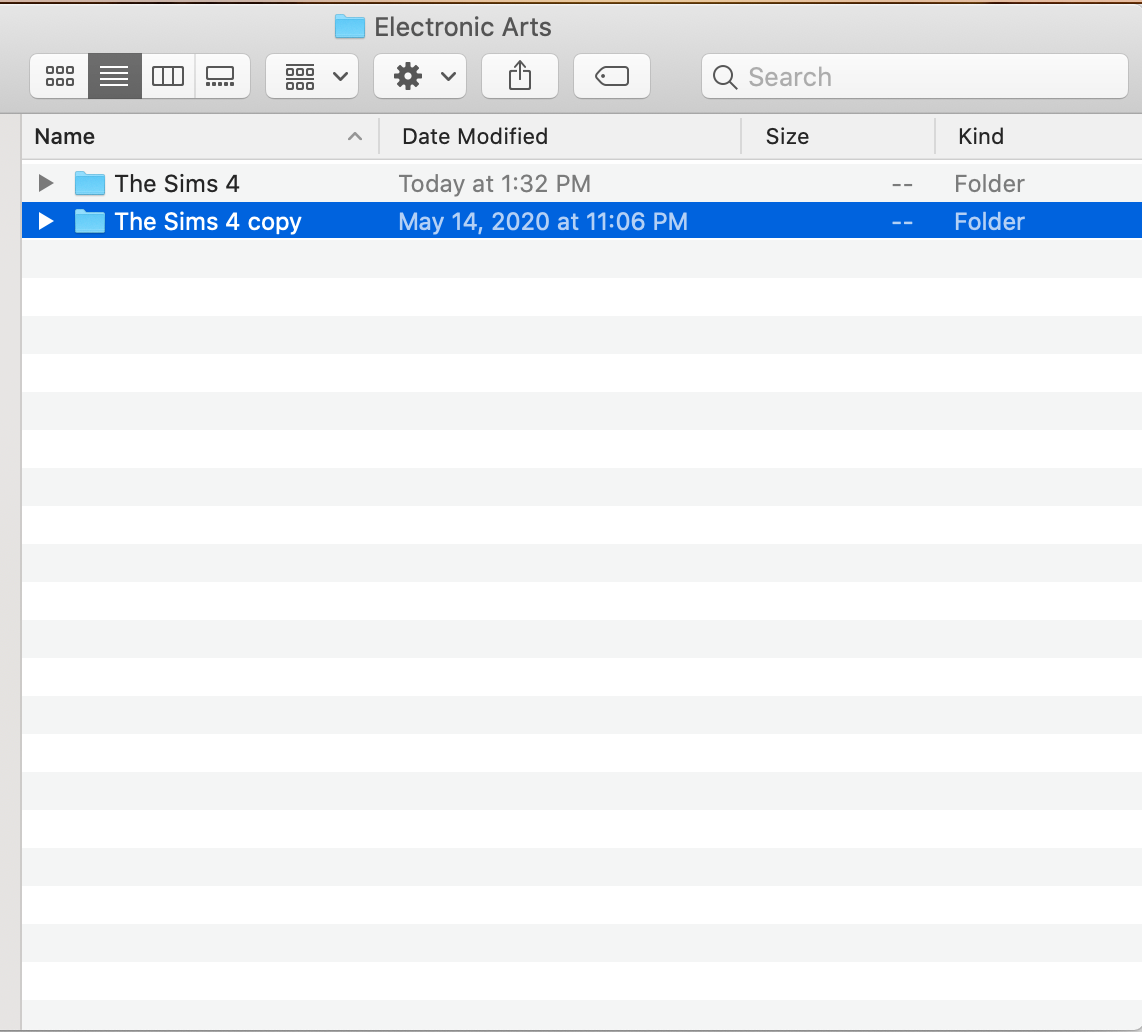
    Also, so I reinstalled the game and before I did that I made a copy of my sims 4 folder in the Electronics Arts folder and put it on my desktop to save my mods and saves. When I reinstalled the game I dragged the folder back in. But now, every time I start the game, a new folder is being created in the EA folder and I think that's what it's running (because the home screen doesn't say I have any games saved). Am I doing something wrong?

  • Bluebellflora's avatar
    Bluebellflora
    Hero+
    5 years ago
    @isabellezi

    Have you launched the game after changing it so it updates the config.log file? Could you add another screenshot showing the changes and c/p the section from the config.log again?
  • isabellezi's avatar
    isabellezi
    5 years ago

    === Graphics device info ===
    Number: 0
    Name (driver): Intel UHD Graphics 617
    Name (database): [Found: 0, Supported: 1]
    Vendor: Intel
    Chipset: Vendor: 8086, Device: 87c0, Board: 00000150, Chipset: 0002
    Driver: macOS Metal driver, Version: 0.0.0.0
    Driver version: 0
    Monitor: 00000000
    Texture memory: 1536MB
    Vertex program: 3.0
    Pixel program: 3.0

    Yes, if by relaunching you mean exiting the game and then after I've made the changes relaunching it.

    I've also included a screenshot of my EA folder where it says I haven't edited the "The Sims 4 copy" folder (the one with all my saves and mods) today.

  • Bluebellflora's avatar
    Bluebellflora
    Hero+
    5 years ago

    @isabellezi 

    Try

    Intel (R) UHD Graphics 617

    Your game won't load anything from The Sims 4 copy folder, it will only launch from The Sims 4 folder.

  • isabellezi's avatar
    isabellezi
    5 years ago

    It says [Found: 1, Supported: 1] !!!

    How do I get my saves and mods back in the game?

  • Bluebellflora's avatar
    Bluebellflora
    Hero+
    5 years ago
    @isabellezi

    Yay! Good to know that line works, thanks šŸ™‚

    Move the saves and Mods folders from the The Sims 4 copy folder to the Sims 4 folder.
  • isabellezi's avatar
    isabellezi
    5 years ago

    Now it's doing my original problem where the game won't open (

    ). I think I must have a corrupted save file or corrupted CC/Mods. Any advice on how to locate the problem? I chatted with EA help for hours and found them very unhelpful :/

  • Bluebellflora's avatar
    Bluebellflora
    Hero+
    5 years ago
    @isabellezi

    ā˜¹ļø

    You would need to move out the Sims 4 folder then launch the game to recreate a new one. Then, move your saves into the newly created saves folder one by one, testing after adding each one to see if it loads.
  • isabellezi's avatar
    isabellezi
    5 years ago

    Ok I did that with all my saves and it is working. Should I now go through and do that with my CC and Mods?

Featured Places