Cannot Update
Long story but want to make sure I give you all the details.
I play on a PC, ASUS. Wednesday night, May 13th (I had not updated yet) I tried installing reshade. I had issues and it couldn't install so I followed directions in creator video to uninstall from my laptop.
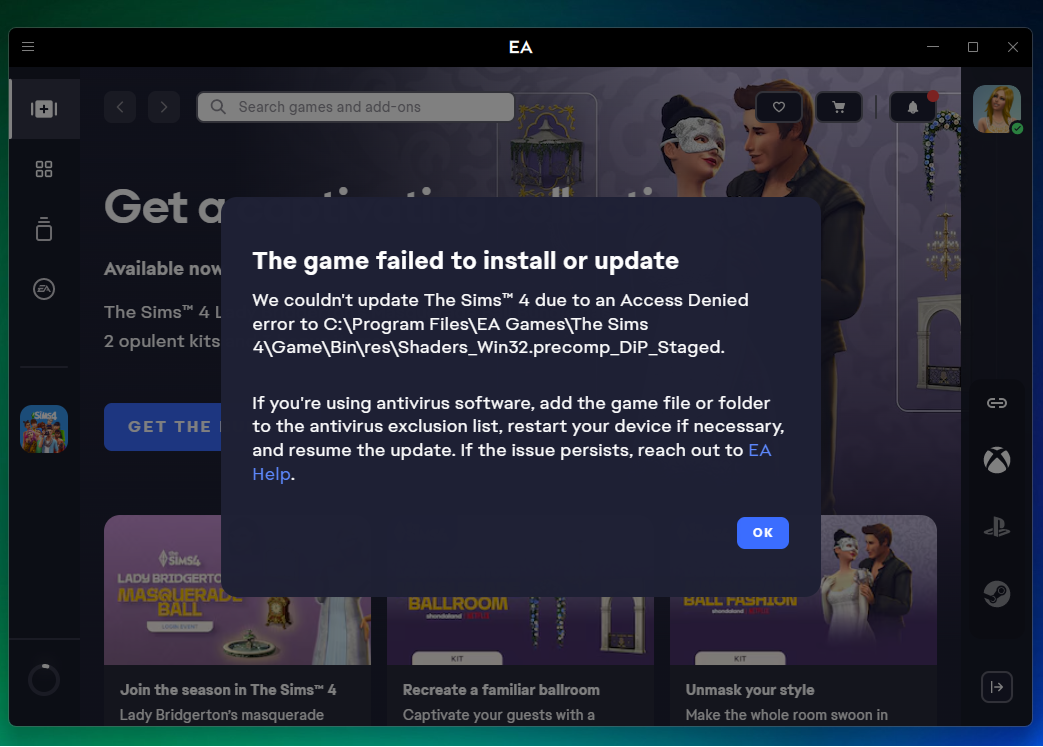
Next day I played in the morning fine. In the afternoon I tried to update and I am getting the message below in the May 14th screenshot.
I have tried turning off Trend Micro completely. It didn't work. Tried clearing my app cache thru the EA app. Tried running EA and then tried the Sims 4 thru properties as an administrator. I have tried adding the Res folder and tried adding the EA Game folder to the Trend Micro exclusion list. My Firewall is set to allow EA and Sims thru. I restarted my computer in between these steps when it doesn't work to see if that will help.
I checked the EA app but do not have an option to repair my game.
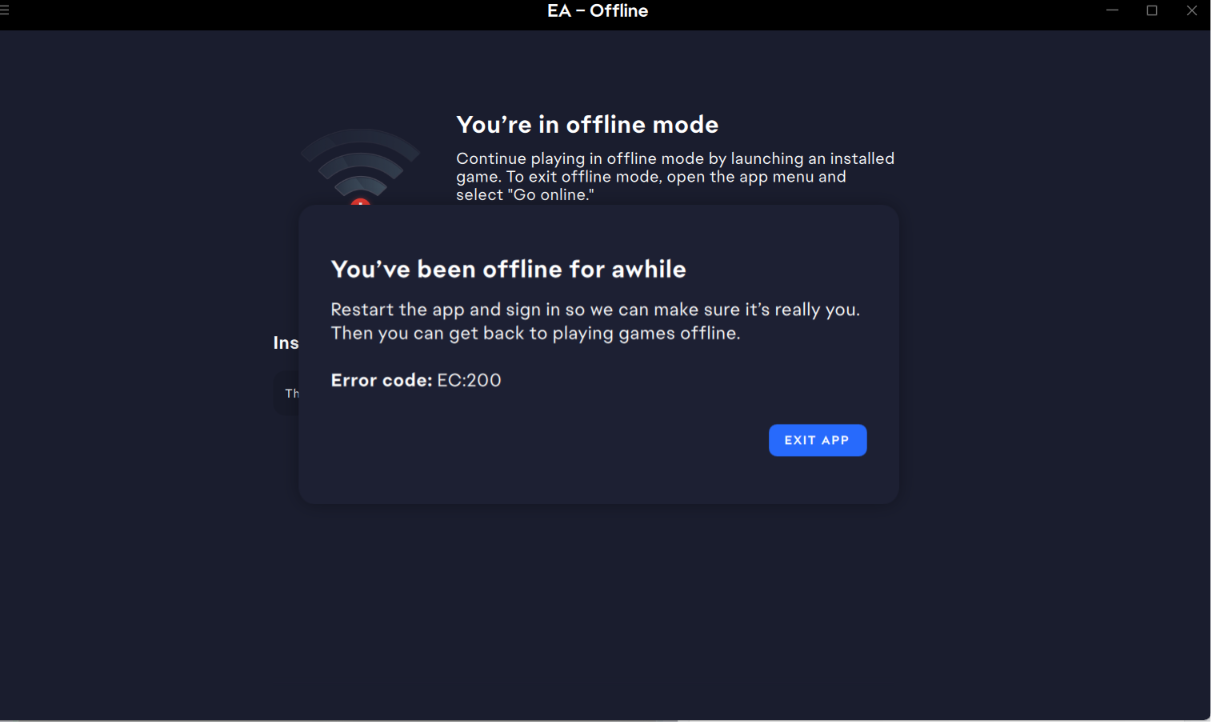
I tried playing offline but that gives me the 200 error in the May 15th screenshot below.
I did have OneDrive on my computer when I first tried to update. I have since then followed a youtube video to move my Electronic Arts folder out of OneDrive and then uninstalled OneDrive.
Still not working. I do not even see the file ts4_x64_fpb.exe_dip_staged in my EA Games / Sims folder anywhere. So I am guessing I need to get that back. Please help because right now I am completely at a standstill and cannot play my game at all.