Lighting & shine/glow issues
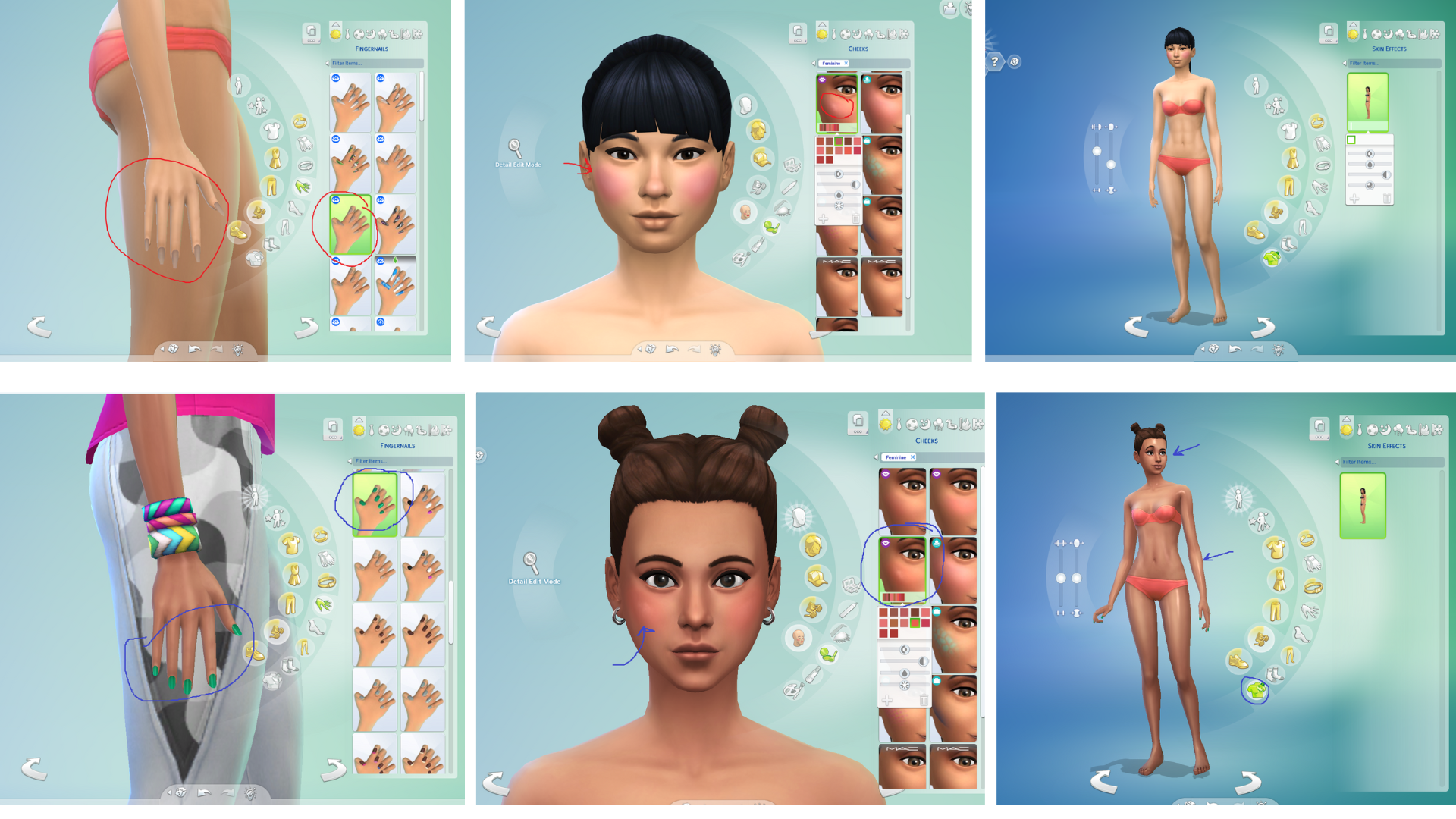
Issue 1: I'm having an issue with every cas item that's supposed to have a shiny effect. When that skin shine effect first was added to the game it worked for me but then two months after (the July 2025 update) it stopped working. Many of other cas items like I said also stopped having a shiny/glowy effect like some nails and makeup specifically the blush with the highlighter that comes with the Essential Glam Kit. All the items that I mentioned that are supposed to have a shiny/glowy effect show up as matte.
I have all settings on ultra, I have tried without any mods and cc. I've also repaired my game a few times and tried to revert the settings back to default and redo them again but it's still not working.
As you can see in the images below every item that I've selected that's supposed to have a glow/shine is showing up as matte on the sim, and as for the skin effect it's not showing up at all. I've also compared the glossy nails with the matte ones and they both look the same on the sim.
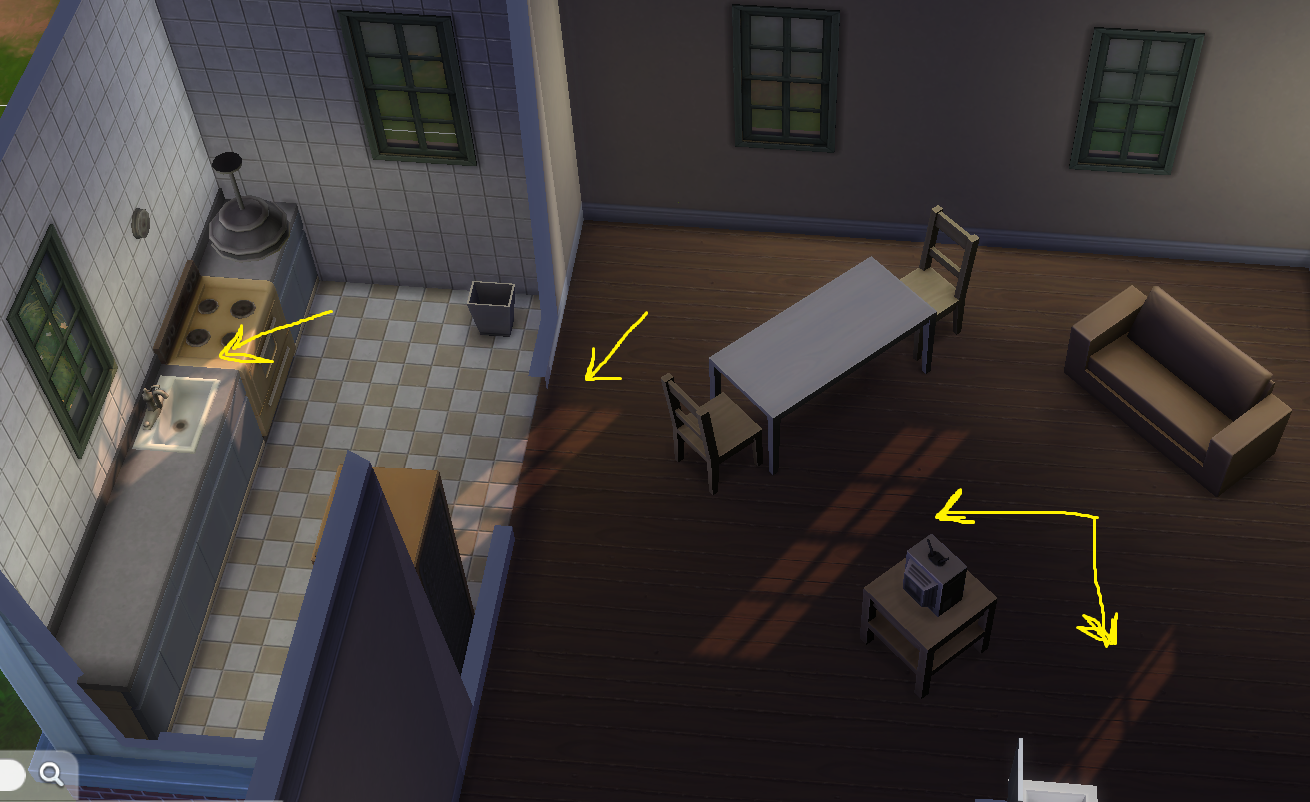
Issue 2: In addition to the cas shine issue, lighting effects coming through windows are no longer rendering correctly. Previously, sunlight entering through windows produced visible light direction and light rays depending on the time of day. Currently, this effect no longer appears. Interior lighting looks flatter, and natural light coming through windows does not behave as it did before. again I've tried similar methods where I took out all my mods and cc, repaired the game a few times, removed gshade etc but it's still not working.
The only thing that worked was when I installed the sims 4 on a new laptop both issues were resolved, I even added some of my mods and cc and it still seemed to work fine, however when I finished setting up my new laptop aka downloading gshade again and installing sunblind mod etc these issues came back. I've removed everything again and repaired the game but it still didn't work so now I'm trying a fresh reinstall of the game hoping this would fix it.
Just in case this is useful information I use: sunblind mod, simp4sims graphics overhaul, gshade and northernsiberia winds lighting mod.
These screenshots with the black haired sim are taken before doing a fresh reinstall of the game. The ones with the brown haired sim are taken after the install. I've also included a picture of what the lighting should look like usually.
I've been desperately trying to fix these issues for months so I'd really appreciate any kind of help.