Forum Discussion
10 Replies
DragonPIays Do the packs show as owned in the EA App, under Sims 4 > Manage > Manage add-ons? And where did you originally buy them: from EA, from Steam, or from some third party?
 DragonPIays2 months agoNew Novice
Hi, sorry, I've just seen this! They do show as owned, along with all the other packs. But Enchanted By Nature (and Fairy Garden) and Cottage Living do not have the option to uninstall. These were bought from EA.
DragonPIays Please post a screenshot or two of the packs showing as present but not available to uninstall. And check the status of the purchase. Go to ea.com, sign in, open Account Settings > Payment & Wallet > Order History, find the details for this purchase, and list the status of the transaction: Completed, Processing, or Failed.
- DragonPIays2 months agoNew Novice
Hi puzzlezaddict attached are screenshots of all packs, working and not working, and a screenshot of the transaction list. The transactions say completed. The only one that failed was Seasons which did work eventually and is currently playable.
DragonPIays Please run searches for these two packs. Open a File Explorer window, click This PC in the left panel, and enter EP11 (this is Cottage Living) in the search field in the upper-right corner. Wait for the search to finish, then make sure the full file path is showing under each result. If it's not, expand the window sideways as necessary. Take a screenshot using Windows key-shift-S and attach it to a reply here. Repeat for EP19 , which is Enchanted by Nature.
You should see at least three folders for each one, plus some world files that contain data for the included neighborhoods. If you don't, either the packs aren't actually installed or the search isn't finished yet.
- DragonPIays29 days agoNew Novice
puzzlezaddict I'm so soory for the delay, a family member has been in hospital so I haven't been able to get back to this. I've finally had time to look for the files, I've found them and attached are the screenshots. These files have been opened and played before, it's just in the last few months they have stopped working.
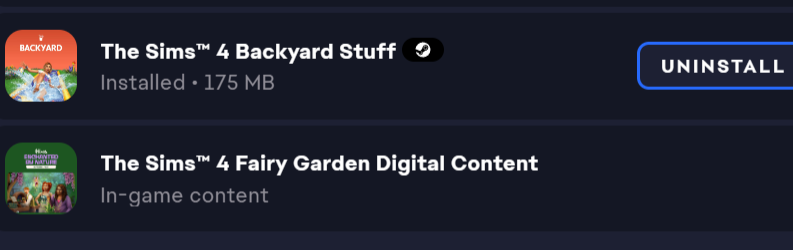
DragonPIays Are you playing through Steam? I ask because Cottage Living (EP11) is installed into a copy of Sims 4 from the EA App, but I also see evidence of a Steam install.
Point is, if you're using Steam, uninstall the EA App version, clear the EA App's cache:
https://help.ea.com/en-us/help/faq/clear-cache-to-fix-problems-with-your-games/
and download only the packs you own in the EA App, not a second copy of the base game.
- DragonPIays25 days agoNew Novice
No, I'm pretty sure it is through the EA app!
DragonPIays Your first screenshot shows that you have a copy of Sims 4 installed through Steam as well as a copy through EA. Regardless of how this happened, it's best to clean things up from here. So please uninstall both copies, restart your computer, and reinstall the game only through the app you want to keep using. The EA App can otherwise get confused as to which version of the game it's supposed to launch, and which version is the correct destination for installing DLC.
If you choose to install through Steam but want to use your EA App-owned packs, you can do so by downloading them under Sims 4 > Manage > Manage add-ons. As long as you don't also install a second copy of the base game, the add-ons should go into your Steam install.
If uninstalling and reinstalling doesn't help, please do a clean uninstall of the game, as described here:
📓[GUIDE] [PC] How to Clean-uninstall Sims 4 | EA Forums - 12636503
Then reinstall again, still only through one app.
- DragonPIays24 days agoNew Novice
Thank you! I've done this, and the packs showed as deactivated, so I had a little look around and found a post about reactivating packs, which I've managed to do, and it is now fixed!

Featured Places