Note: English is not my native language. I analyzed my LastException files with an AI assistant, and it helped me compile the following bug report based on our findings.
Product: The Sims 4 Platform: PC / Windows 11 Which language are you playing the game in? Traditional Chinese How often does the bug occur? 100% (Reproducible chain of events)
Summary: Placing a ladder that overlaps with other objects using bb.moveobjects on creates a "Ghost Ladder" (item is auto-sold but remains visible). This triggers a RuntimeError: Unable to acquire ladder data, causing a dirty zone shutdown.
Critically, this error causes severe save corruption across different worlds:
1. Identity Theft: Saving the game in Evergreen Harbor after this error caused the save file to be incorrectly named "Spencer-Kim-Lewis" (the default family of Cypress Terrace in Willow Creek), even though my active household was a custom Sim in Evergreen Harbor.
2. Zone ID Lock: The game gets stuck on a specific Zone ID from Willow Creek (613...144), causing infinite loading screens when traveling.
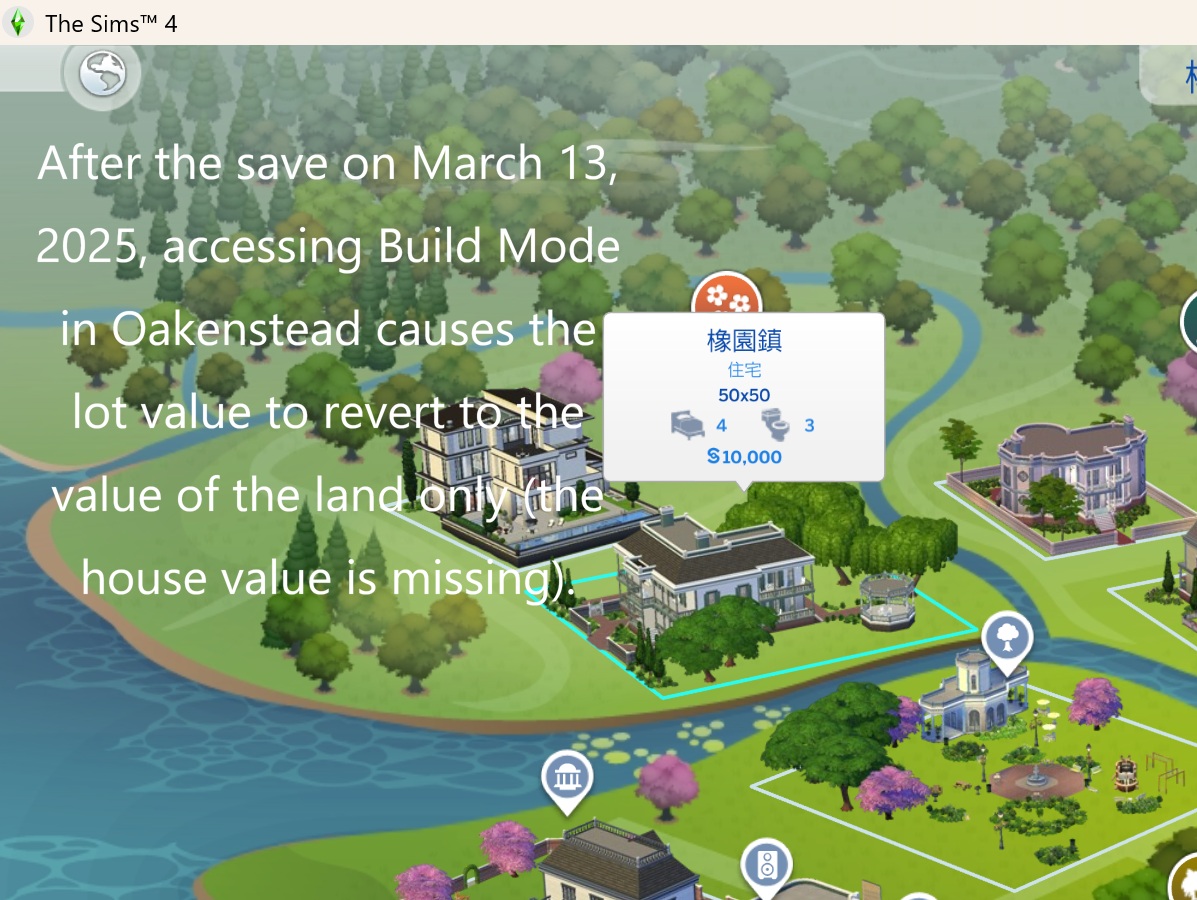
3. Visual Corruption: Lots in Willow Creek (specifically Cypress Terrace) fail to update their World Map visuals (LOD), reverting to older versions or disappearing entirely (Oakenstead becomes an empty field), proving the Zone Manager is desynchronized.
Steps to Reproduce & The Chain of Events:
1. The Trigger (Evergreen Harbor):
- In Build Mode (Evergreen Harbor, Container Lot), use bb.moveobjects on.
- Place a ladder overlapping a bed or wall.
- Observation: The "sell" sound plays and funds are refunded (e.g., +§96), but the ladder visually remains on the lot.
- Technical Result: The ladder object is deleted from the server but remains on the client, causing RuntimeError: Unable to acquire ladder data upon exit.
2. The Corruption (Save File):
- Attempt to save the game after the ladder glitch occurs.
- Observation: The save file is named "Spencer-Kim-Lewis" (Willow Creek resident), despite playing a completely different household in Evergreen Harbor.
- Technical Result: The game failed to capture the current zone data and fell back to a stuck/cached Zone ID from Willow Creek.
3. The Aftermath (Willow Creek):
- Load the save or travel to Willow Creek.
- Observation 1: "Cypress Terrace" (the lot associated with the stuck ID) shows an incorrect/outdated LOD model on the map or from neighboring lots.
- Observation 2: Neighboring lots (e.g., Oakenstead) may fail to render, appearing as empty grass fields.
- Observation 3: Infinite loading screen when trying to enter these lots due to Zone ID Conflict.
Evidence / LastException Logs:
1. The Root Cause (Ladder Error): File: build_ladders_mixin.py Error: RuntimeError: Unable to acquire ladder data for objID [Object ID]. Context: Occurs during buildbuy_session_end in Evergreen Harbor.
2. The Consequence (Zone ID Lock): File: zone_manager.py Error: RuntimeError: Attempting to set _zone_id to [Target Lot ID] when its already set [Stuck Willow Creek ID]. Context: Occurs when the game fails to switch focus from the "stuck" Willow Creek ID.