Ideas
74 Comments
Comments have been turned off for this idea
 LyssSimpatico2 months agoSeasoned Veteran
I have this too
 LadyDarkSorrow2 months agoSeasoned Ace
here an updated after patch
when you start Sims 4
load save and exit to main menu
when you exit Sims4 and reboot game
same thing, just different background. not fix
 DabQueen_7l02 months agoNew Spectator
Thank you- I will try this!
- Kalee272 months agoNew Spectator
no the game is unplayable, it loads me into manage worlds instead whenever I select resume or load game
ncsnsrdiuie6 I just wanted to make sure there wasn't anything broken on your end. There's a known bug right now:
No save sims on front page | EA Forums - 13524575
But I wanted to make sure nothing else was broken on your end since that can also lead to disappeared sims. Feel free to upvote the bug report; I'll merge this thread once you've seen it, or in a couple days if you don't reply.
 Jehane402 months agoSeasoned Ace
Same issue; no CC, no mods. Everything else is working fine, mostly.
- ncsnsrdiuie62 months agoSeasoned Newcomer
I tried with an account that was my sister's account that she doesn't have any cc and she didn't downloader either and it happends too, I think that's the last update, like I think that is the problem.
 RheaFallout2 months agoSeasoned Ace
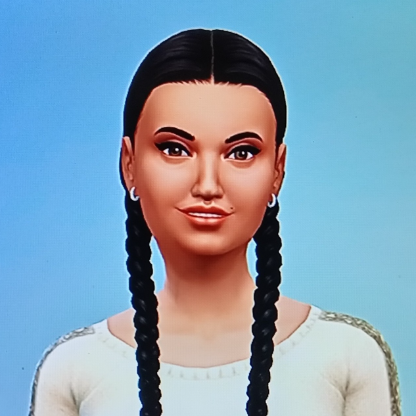
Hi, just thought I'd let you know that there is an active bug report for this issue, it's happening to a lot of people (me included) on PC and console ever since the June 30th update dropped. My main menu on PlayStation 4 console looks like this on load up ever since I updated my game, I think they messed up the with the newest update. Sorry to chime in, just thought it might help shed some light on this issue 😁
DabQueen_7l0 Your dxdiag is full of BSOD codes that indicate an issue managing video memory. So please do a clean uninstall and reinstall of both graphics drivers, as described here:
Use the newest drivers HP provides for your laptop. Go here:
https://support.hp.com/us-en/drivers/laptops
Enter your serial number, choose your OS (just Windows 11 is fine) if prompted, click All Drivers, expand Driver-Graphics, and download the newest Intel and Nvidia drivers by version number. The first number matters most, e.g. 32 is newer than 31; after that, the last four numbers matter.
The proper order of operations is uninstall the Nvidia driver > uninstall the Intel driver > restart > reinstall the Intel driver > restart > reinstall the Nvidia driver > restart, all while your computer is offline.
I don't know whether this will fix the game issue, but the errors do need to be addressed. If it doesn't help though, do your sims have any tattoos or custom skin details? When you tried different households, did you try a new one with fresh sims NOT from the Gallery or your library?
Please also try in a clean user folder. Move the entire Sims 4 folder out of Documents > Electronic Arts and onto your desktop. When you launch the game, a clean folder will spawn with no content. (Your saves and other content will be intact in the folder you've moved but temporarily unread by the game.) Don't add anything to the new folder yet; just start a new save, create a sim or two, and see whether the household preview works after a reload.
ncsnsrdiuie6 When you switched households (but hadn't switched back yet), did those sims show up at the Main Menu? If not, try with sims that you've never played and are therefore probably not wearing any custom content. If that doesn't help either, remove your entire Mods folder and try again, still with a previously-unplayed household. Since you're using "save as" rather than "save," you don't need to worry about permanently removing all the cc from your save; this is just a throwaway save for testing.
It's important to find out whether your cc is causing the issue. If it is, all the other troubleshooting in the world won't fix it, and if not, we can move on.

Featured Places

The Sims 4 Bug Reports
Report bugs for The Sims 4 on PC, Mac, Playstation, and Xbox.Latest Activity: 11 minutes agoRead First
- EA_Cade7 months ago
The Sims Team