Ideas


TheKrumptstien
1 day agoNew Spectator
I have been playing since the pre-release and own almost every EP for The Sims 4. This is the first time I've encountered this issue.
I recently purchased three more packs and downloaded them immediately. I made no changes. I don't use any CC or mods. I checked my PC and can see the packs listed there: EP18, EP19, & EP20. It all looks great.
However, when I try to manage the worlds in my game, they're reflecting as "World not installed." Honestly, there could be other content from these packs not working as well, I just don't know. This is the most blatant example of an issue.
I've repaired my game three times. I've uninstalled and reinstalled everything. I manually deleted the new files from my file explorer on my PC and redownloaded them. I've cleared my cache. I've restarted numerous times.
I'm at a loss at this point. I don't know what else to try, aside from uninstalling and deleting everything an starting from scratch. I'd really rather not do that on on whim.

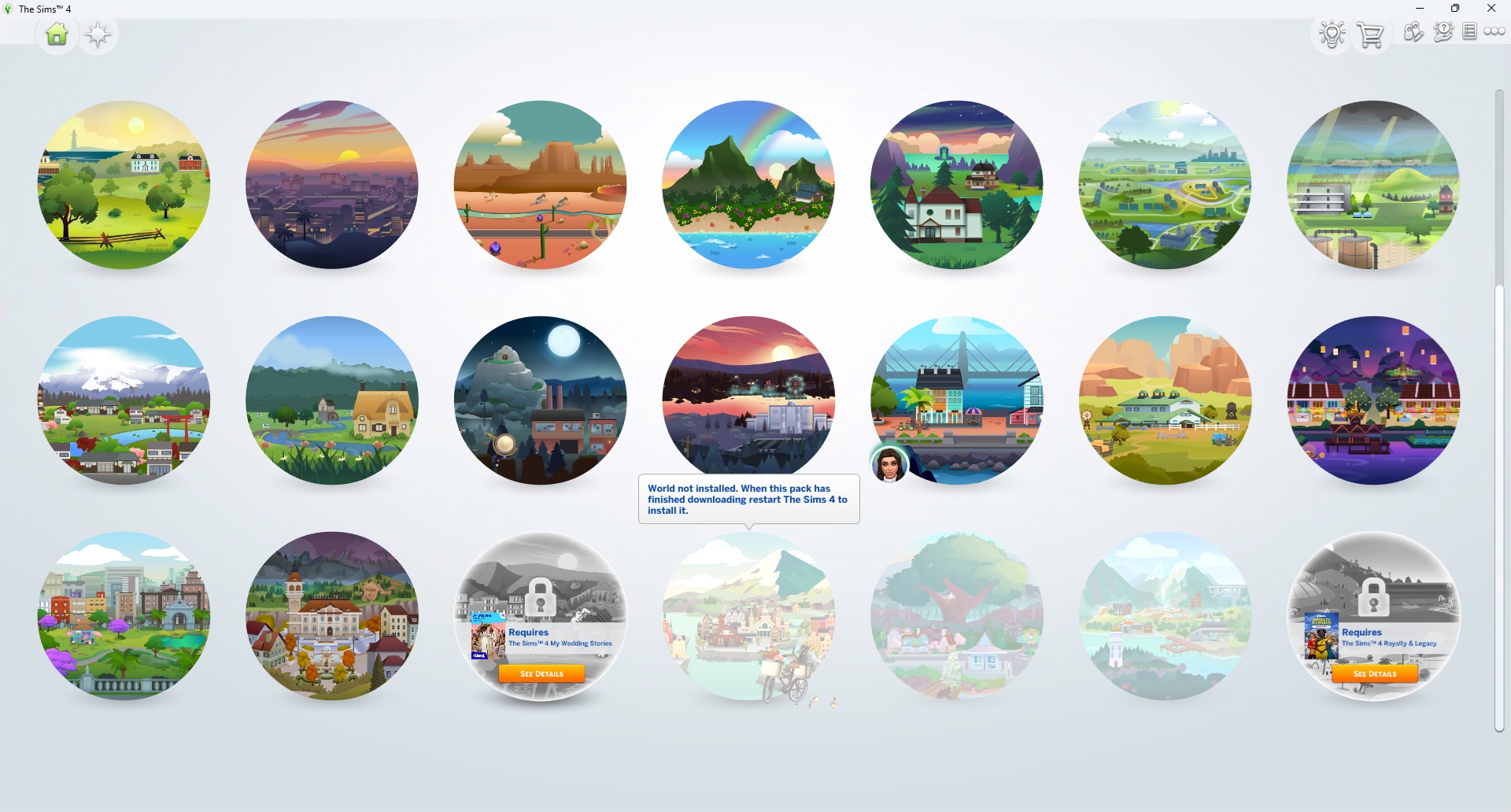

TheKrumptstien
1 day agoNew Spectator
SOLVED. So irritating. Within the game, I opened Marketplace > My Collection and saw that these three packs had been deactivated. I then clicked Pack Selection to reenable them, then restarted the game. This worked. Active should be the default. I didn't ask for Marketplace and probably won't use it. So frustrating.
 miasandell1 day agoNew Spectator
I did the same!!!! Just came to write that to you!! I saw it in another sub! I have never experienced something like that!
 lulukii1 day agoSeasoned Newcomer
you are a life saver, I just had the same issue with some expansion packs I purchased today. Thank you! It must've been so frustrating for you to have to try everything to get them working😭
 AngelaHalb1231 day agoNew Spectator
thank you SO much! i struggled with this for hours today until I finally found this thread. <3
Featured Places

The Sims 4 Bug Reports
Report bugs for The Sims 4 on PC, Mac, Playstation, and Xbox.Latest Activity: 11 hours agoRead First
- EA_Cade1 month ago
The Sims Team