Ideas

401 Comments
 TheKrumptstien7 days agoNew Spectator
I have been playing since the pre-release and own almost every EP for The Sims 4. This is the first time I've encountered this issue.
I recently purchased three more packs and downloaded them immediately. I made no changes. I don't use any CC or mods. I checked my PC and can see the packs listed there: EP18, EP19, & EP20. It all looks great.
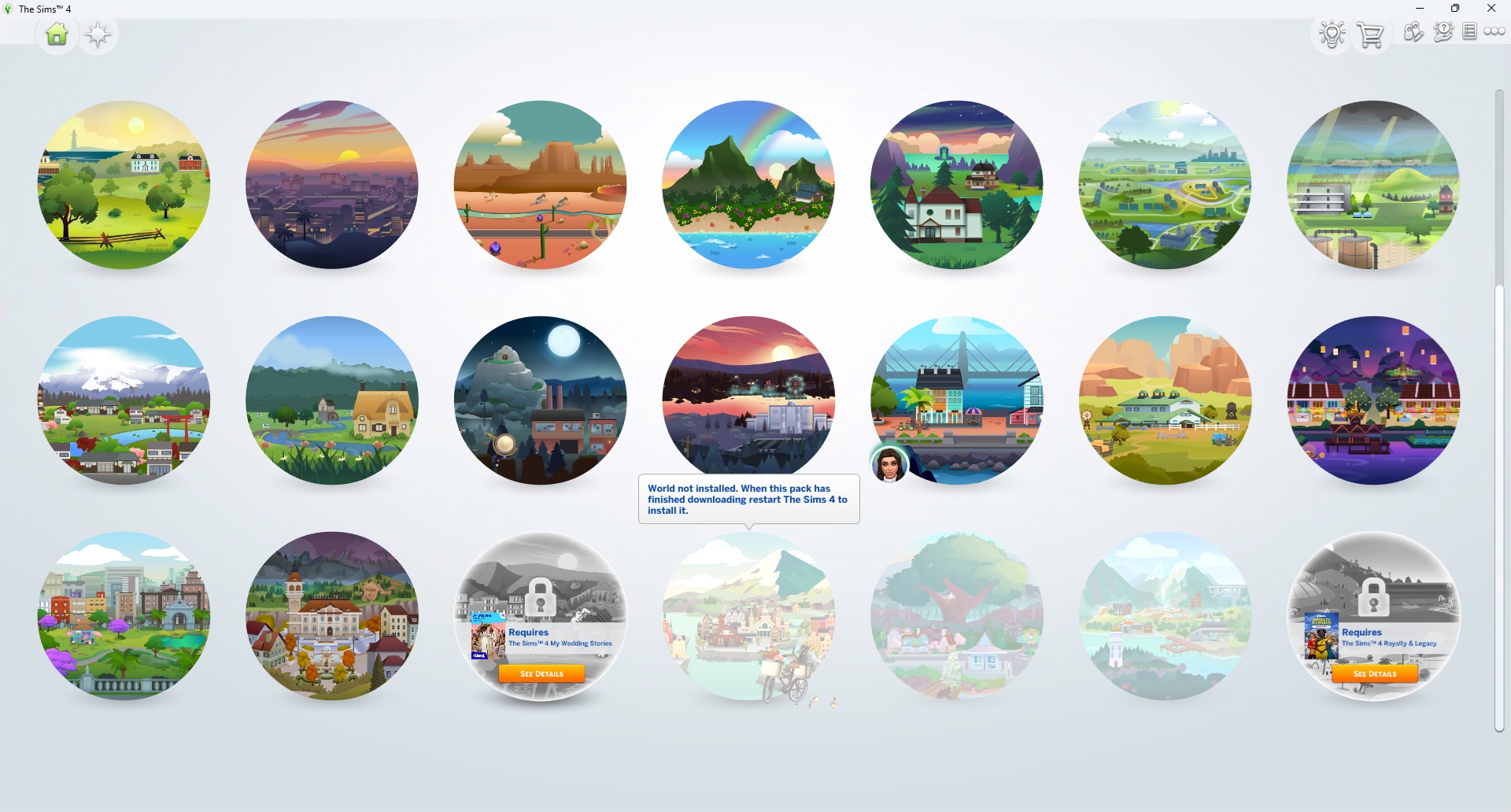
However, when I try to manage the worlds in my game, they're reflecting as "World not installed." Honestly, there could be other content from these packs not working as well, I just don't know. This is the most blatant example of an issue.
I've repaired my game three times. I've uninstalled and reinstalled everything. I manually deleted the new files from my file explorer on my PC and redownloaded them. I've cleared my cache. I've restarted numerous times.
I'm at a loss at this point. I don't know what else to try, aside from uninstalling and deleting everything an starting from scratch. I'd really rather not do that on on whim. TinyLadyTownUSA7 days agoNew Spectator
This is what worked for me!
 miasandell7 days agoNew Spectator
Mine is not working either…. Maybe it is an overall problem?
- TheKrumptstien7 days agoNew Spectator
SOLVED. So irritating. Within the game, I opened Marketplace > My Collection and saw that these three packs had been deactivated. I then clicked Pack Selection to reenable them, then restarted the game. This worked. Active should be the default. I didn't ask for Marketplace and probably won't use it. So frustrating.
- miasandell7 days agoNew Spectator
I did the same!!!! Just came to write that to you!! I saw it in another sub! I have never experienced something like that!
- Rifensia7 days agoSeasoned Newcomer
Hi!
I think my game runs through Steam, but I bought three expansion packs through EA and now I can't connect them to Steam.
They don't show up on Steam or in the game. But EA says I bought and downloaded them.
I need help. I wanted to play :(
- ssophia12267 days agoNew Spectator
Have you been able to fix it. Mine is doing the same thing .
 anadiaplayz7 days agoSeasoned Newcomer
Hi! you have to go to marketplace then my collection then activate your packs
- inzayneaquarium7 days agoNew Spectator
I bought Adventure Awaits last night, the payment went through and I've installed it on the EA app. When I go to my current save, the world says i own it, but it's not installed on my PC - the clothing and build items are not available at all. I made a new save with no mods, the same thing happened. I've repaired the game, restarted my pc, and I have uninstalled Adventure Awaits and reinstalled again. Please help!!!!
Edit: I deleted Malware Bytes from my PC and allowed Sim4 through Windows Defender - I thought that worked, but it just gave me the notification that I had downloaded the pack. I think my problem is that my game is unable to access the marketplace/connect online. When I click "connect" it just loads for a long time and tries to connect but can't.
- disconun7 days agoNew Spectator
Same thing happened for me, just with the For Rent expansion.



Featured Places

The Sims 4 Bug Reports
Report bugs for The Sims 4 on PC, Mac, Playstation, and Xbox.Latest Activity: 5 minutes agoRead First
- EA_Cade1 month ago
The Sims Team