
I built a basegame home and went to place it on Pique Hearth. I had bulldozed Pique Hearth on a previous occasion. When I went to place the house I'd built from my Gallery I get a "system error" message and the lot wouldn't load. I then tried to place the home on the next door lot and I got the same message. The image attached is when I tried placing the house I'd built on the Riverside Roost lot right next to Pique Hearth, where it happened the first time I tried to place it.
Ideas
'System Error' when placing lot
61 Comments
 lurveislurve3 months agoNew Spectator
Hi all — I’m hoping someone has seen this before, because I’m absolutely gutted.
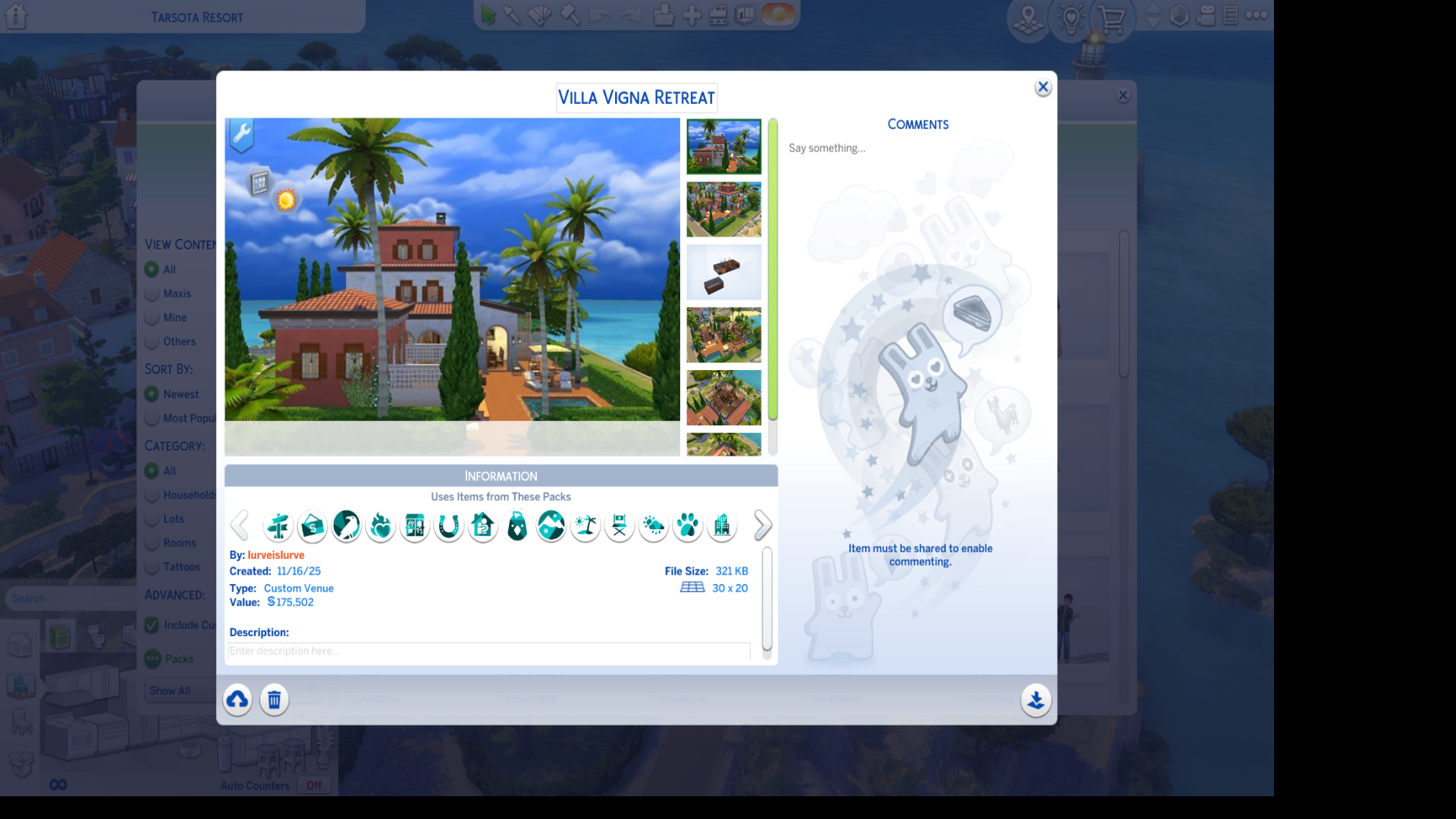
I spent about 10 hours on a detailed build, and after saving it, the lot suddenly broke. Now every time I try to place it, I only get a blank lot with a “System Error” message.
Background:
- This was a custom venue built on a lot in Tarsota.
- I use minimal mods and no CC was used in the build.
- Despite that, the game marked the build as containing custom content, which was the first red flag.
- As soon as I saved the build, it started glitching.
- I unfortunately bulldozed the original lot, thinking I could just place my saved version — but now it won’t place at all.
What I’ve Tried
- Clearing cache
- Removing mods completely
- Restarting the game
- Repairing the game 5 times
- Trying to place the lot in multiple ways:
- Switching from custom venue → residential
- Placing from world view
- Moving a sim in and placing from live mode
- Uploading to the Gallery (fails with an error)
- Placing the lot on other lots
- Trying in a different save file
- No matter what I do, I get the same blank lot + “System Error.”
My Question
Has anyone else had this happen recently — maybe connected to the new pack?
If so, were you able to recover your build or get it to place again?I’m so, so bummed to lose this lot and hoping there’s a fix out there.
 crinrict3 months agoHero+
 CGrant563 months agoHero+
lurveislurve and all other posters on this thread. Try this if you still have the original lot you built. No guarantee that it will work but you never know. I've had it work once or twice though. Clear everything off of the first perimeter tile all the way around the lot. If you are able, flatten the lot. The goal being that the last tile is flat when compared to the world around it. One thing I have noticed is that sometimes if you have a MOO placed or rotated object on a perimeter tile, it will cause problems. 1 tile objects usually get deleted but bigger objects sometimes block you from saving or placing the lot. Another thing that you can check is your roof overhangs for extending into that last tile or even overhanging the edge of the lot. Pull the eaves in as far as you can before saving the lot. If the lot places then, you can pull them back out and/or replace anything you deleted on the perimeter tiles.
Another thing that may be happening is something I've seen in the SM apartments when you try to place a renovated apartment over them in one go by using the delete a tile between rooms so the apartment will place complete rather than separate rooms. Sometimes, you have to delete everything including 1 tile of any connecting wall, on the tiles on the last perimeter tile against another apartment to get it to place. Something like that might be going on here. If the lot will place for you, everything will probably be one tile off in at least one direction. I have no idea if this will work as I have no way to test it.
Another thing you can try is to save the build with no furnishings. I'm assuming most people build like I do, constantly placing and deleting a ton of objects along the way until I get everything like I want it. Sometimes, a deleted object leaves something behind blocking tiles and causing other problems including corrupting a lot. Platforms are really good for doing that. So, one way around that is to not save the building with the furnishings. There's a couple of ways to do that, but I find that moving a sim in, then moving them out and keep the furnishing works best. That tends to clean out all the invisible objects. Then all you have to do is place the lot where you want it unfurnished and then redecorate.
Hope this helps.
 Yddet-7803 months agoNew Spectator
After the update I made a new save file with my previous family and as I was trying to replace the lot with the previous one I saved in the gallery, it would just show me the empty lot and ask me to confirm after showing a system error message.
 rachel05261 month agoSeasoned Scout
PC player, no mods. Whenever I try to place a cemetery lot from my library onto any lot, I get a system error. I am able to place any other lot type, including on lots that won't accept the cemetery, and I can place cemeteries from the gallery onto said lots as well.
 elliebreton1 month agoLegend
I am currently rebuilding my worlds and therefore placing all new community lots down and a few residentials. Sometimes they are fine but sometimes they glitch. Eg. I am currently trying to replace the Sequoia Cottage lot. Normally I would do it from map view and select the one from my library which I have been successfully using in another game. On this occasion it deleted the existing lot but did not place the new one - no error message or anything, it just wasn't there. I exited without saving and reloaded and decided to go into build mode to place it. I bulldozed the current lot but then when I tried to place the new one, I got this:
Every time I click on the confirm tick it just pops the system error message back up.
Another error I keep getting is lot types not transferring. Eg. I place a Wedding Venue down but it ends up being a residential. I place a residential down, but it keeps its original Vacation Rental status.
And I can no longer use Community Venues (the ones with the garden, maker venue and market which sims vote to change) as they seem totally glitched - they allocate a random venue when I leave build mode (such as the garden one) without any sims having visited there and then when I do try and visit it crashes the game.
Playing on PC, all packs except one kit installed, game up-to-date, no mods or cc.
 xRhori1 month agoNew Spectator
I have exactly the same problem with the “system error” message since the January 2026 update.
I had created a rental property lot and saved it in my gallery to install it in a new save file. However, it was impossible to install it. It is a 50x50 lot with platforms and terrain modifications.
So I tried changing the lot type to residential, saving it again in the gallery, and installing it again in another save file, but I still get the same error message. I also tried installing it from the worlds, and the “construction in progress” loading time is displayed, but once it's finished, the lot is empty.
I then tried installing other similar plots and had no problems. However, these were plots that I had created and saved in my library before the January 2026 update.
 thealienqueen1 month agoSeasoned Scout
Since the latest update, I am having the same problem. I am in the process of downloading my lots to a new save file. I now get the error message on some lots, but others are okay. Very frustrating.
- 20050512120520051 month agoSeasoned Traveler
this is happening to me too with several lots. im transferring a bunch of sims and lots to a new blank save (srsly's blank save to be specific) and several of them have this system error glitch. the weirdest case was where i placed a build from my library on one 30x30 lot in forgotten hollow and it placed just fine, and then **immediately after** i tried to place the SAME BUILD on a different lot in forgotten hollow (30x20 this time) and it caused an endless loading screen??? the library build was only 30x20, thats why i placed it down again, i was planning on bulldozing the first one bc i realised i had placed it on a lot that was bigger than necessary. im doing all of this from the manage worlds screen. if i click 'build' and load into the empty lot that way before placing a build from my library it'll say 'system error'. if i go back to the map screen and place the same lot from there then it'll load for a while like it's building the lot but then when the load screen ends, the lot still appears empty from the map screen and nothing has actually been built. this is very annoying. these are mostly lots i've saved recently bc like i said im transferring stuff from my old save file to my new one. some lots work and others don't and i really dont know what the distinction is. i have never run into this 'system error' thing before ever in any of my save files so mayeb it was introduced by this latest update?
- leafstorm271 month agoRising Novice
I just noticed this today when I went to download a build off the Gallery. When I download the lot, it clears out the old lot as normal to make room for the new lot, but then it says there's a system error, and it won't finish downloading. I tried this across numerous saves, in different seasons, I've even bulldozed the lot ahead of time, and it all ends up the same: there's a system error, and the lot won't download.
I don't use mods/cc, and I even repaired the game. Nothing seems to have worked, and I don't know what could have caused it. Any help would be appreciated!

.png)

Featured Places

The Sims 4 Bug Reports
Report bugs for The Sims 4 on PC, Mac, Playstation, and Xbox.Latest Activity: 6 minutes agoRead First
- EA_Cade1 month ago
The Sims Team