On Laptop, Update 1.121.361.1020 crashes upon startup
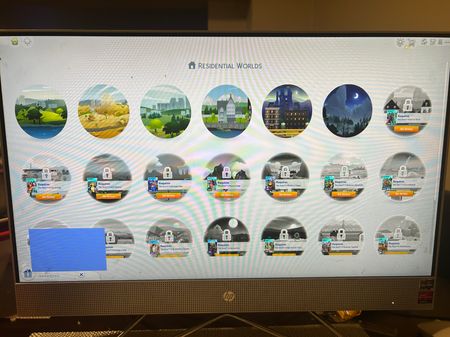
I have been having this problem since Update 1.121.361.1020, but I bought the Royalty & Legacy Expansion, and since the update for the release, my main Laptop monitor will glitch out upon starting the Sims 4 game from the EA launcher app, then reset to a white "booting up" screen in the Sims 4 window, but will not load the Sims 4 game after several hours. I have done a complete uninstall and reinstall several times, even after the latest update 1.121.372.1020. The rest of my games work perfectly fine. It is only the Sims 4 I am having a problem just starting up, so I know its not my laptop.Solved139Views0likes4Comments
Broken and Updated Sims 4 Mods and CC: patch 1.121, Feb. 3, 12 & 19, 2026
About This Thread This thread tracks Sims 4 mods and CC that have been "broken" or made obsolete by game update 1.121 patch, February 3, 2026, and by the mini-patches, February 12 and 19, or declared unsupported by their creators. It also tracks updated game mods and important updates to custom content. --------------------------------------------------- This is a high-impact patch and will break MANY mods! KEEP your pre-patch Saves backup, especially if you use any mods that touch genealogical relationships. --------------------------------------------------- Sort the thread for what you need: For the compiled lists, sort by Oldest For the most recent new info, sort by Newest … or follow the topic to receive notifications of new posts. See the bell symbol, top right. Notifications can even be sent right to your email! Check your Notification settings. Some things are NOT covered here: Early-access content and anything else behind a paywall Content outside the T (for Teen) game rating (no adult mods! including alcohol, violence) Creators/mods outside the EA and EA Answers HQ rules, and the Maxis guidelines for Sims 4 content creators Separate translation files Loading screens, CAS backdrops, main menu backgrounds, and poses unless the creator says an error is fixed Sims 4 Multiplayer Mod updates that don’t change the version number CAS and Build/Buy CC unless the creator says they're fixing an error or catching up pack content Mods and CC hosted on sites that are mostly adult content or that require joining an 18+ site Creators who update active creators' CC/mods without permission or who upload folders of other people's mods and CC. In addition, news for mods/CC hosted only on Mod the Sims may be selective and/or delayed. In the end, YOU are responsible for your mod use. Because not all content and creators are covered on this official forum, many of you should be following creators directly for news. The pinned topic How to Use Mods and CC includes advice about game updates, mod management, finding broken mods, and how to avoid downloading broken and malicious content. And remember… Back up your Saves folder! Index for This Topic Newly Broken/Obsolete Game Mods and Tools Updated Game Mods and Tools, sorted by creator: A to R, and S to Z Broken CAS and Build/Buy Updated CAS and Build/Buy Creators Clearing Mods for This Patch - gameplay mods reported by the creator or their testers to be compatible with the game update Core, Injector, Testing and Protection Mods Status: what you should be on for mods like ModGuard, Better Exceptions, venue lists, Lot51 Core, XML Injector, and MC Command Center Creator News New Bugfix Mods Ongoing Reports - scroll down or sort replies by NEWEST Other Resources Previously Broken/Obsolete Mods and CC: up to patch 1.120 (January 2026) [MASTER POST] Common Symptoms of Mod/CC Issues, with Known Causes, including links to earlier Broken/Updated Mods threads. The previous Broken/Updated Mods threads, for patch 1.120 (December 2025) and the mini-patch (January 2026). NOTE: Patch 1.121 is high-impact; mods updated or cleared for 1.120 might now be broken. Patch Notes for this game update, Feb. 3. And patch notes for the mini-patch Feb. 12. How to use Mods and CC: including how to test for broken mods/CC ("vanilla" testing and the "50-50" method) Malicious Scripts and Malware107KViews21likes76Comments
I WANT A REFUND.
I have bought the Sims 3 on the 27th along with 10 packs thinking it would be as smooth and easy Sims 4. This game is unplayable!!! I have done all the troubleshooting on your website and with Chat gpt, 7 hours troubleshooting, it doesn't matters how many files cache are deleted, how many times I repaired it, how many times I have unistalled it and installed it, how many Microsoft processing systems I have downloaded, IT. DOESN'T. WORK!! I WANT MY MONEY BACK!! I will just go back to the Sims 4 l, with the money I can buy more packs. I thought the Sims 3 would be fun 'cause it has more things than the Sims 4, but oh my Lord, the headache it has gave me these nights of troubleshootings is not worthy, please refund me for the unplayable game you EA have sold me. (Modern gaming laptop)112Views0likes2Comments
Game freezes & icons duplicate
My CAS works just fine; it's my live mode and (partially) build mode that are the issue. When I open live mode, it usually works okay for the first thirty seconds, but pretty much as soon as I move my screen or zoom out, the game temporarily freezes, and icons (such as thought bubbles & the "go here" option thingy) freeze in place, and more freezes are created when the sim moves. Usually, at this point, the screen goes grey. I have removed all of my CC, repaired the game through Steam, and even created a new save file, and nothing has worked in the least. I would like to know how to repair this, as it genuinely makes the game unplayable. I've attached a screenshot of my issue. I am also on an ACER laptop with plenty of storage, and this has been happening for months now. My laptop runs on Windows 11. Edit: The issue has been fixed, and all I did was switch my graphics quality from low to high, then back to low. I was treating my new computer like my old computer, and I guess it took offense to that.
This weird blue glitch I have on the bottom left side of my game
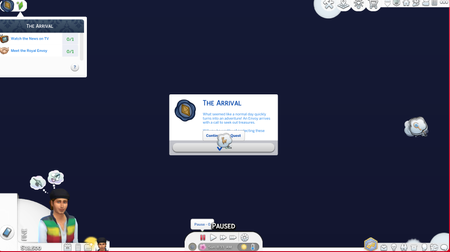
Hello, after the newest update, I’ve been having a lot of trouble with the game. When I went to play the game this blue glitch thing was at the corner of my game screen and it kept glitching plus when I go to play my game it doesn’t let me play any households. I also had trouble getting my game to save and when I go back to the loaded gameplay it would reset my whole gameplay. (I think I resolved the save issue for now). The picture above is the glitch.73Views0likes5Comments[RL] Queen has limited interactions
One of my sims, who is now a queen, cannot host any events, cannot hack computer for secrets, can not start travel but can travel if started by another household sim. On top of minute long lags. Edit By crinrict: Added Tag to Title, Adjusted Title58Views0likes4CommentsGame doesn`t load
I am in menu and choose gameplay. Everything is fine until this moment. My game has loaded and I click on my sims` family on the map to play. It doesn`t work, it loads but nothing happens. It can`t be due to modes because I hadn`t downloaded any before. It seems like it happened suddenly. I don`t remember any factor that would have caused it.46Views0likes3Comments