Mayor facilidad a la hora de hacer DCP/SBC
Con los nuevos DCP/SBC de acumular puntos, al seleccionar los jugadores que queremos entregar podrían poner también que se puedan seleccionar los que tenemos en la lista de transferibles. Ya que si compramos las mismas cartas al ser transferibles no se pueden mandar a al almacenamiento de DCP/SBC, con lo que debemos entregar el jugador, salir del DCP/SBC, ir a lista de transferibles a enviar al club las casetas repetidas y volver a entregarlos en el DCP/SBC. Esto a la 5 vez ya es cansino y para hacerse los jugadores del mes que piden mucho, es agotador y se puede solucionar simplemente dando acceso a poder entregar también cartas que tengamos en la lista de tranferibles.4Views0likes0Comments
Problema de uniforme sempre igual para dos dois times
No meu switch 2 eu já desinstalei e reinstalei o jogo e sempre acontece esse bug no ultimate team. Sempre fica default o uniforme da foto. Verifiquem esse bug pelo amor de Deus. Estou cansado de jogar com preto e rosa e não ver os uniformes que quero jogar.10Views1like3Comments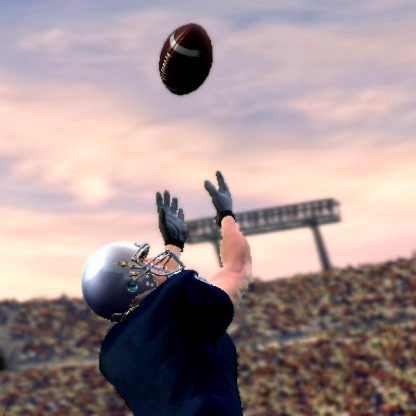
Switch 1 - Weiße Trikots bei Rival Modus
Hallo zusammen, immer wenn ich eine Partie über Rivals in FC27 starte haben beide Teams weiße Trikots. Selbst wenn ich Trikots vorher festlege mit Standart Trikots, kommen die weißen Trikots. Das macht ein spielen fast unmöglich, weil meine Spieler sich kaum von den Gegner unterscheiden und somit Fehlpässe entstehen. Ich bitte um Abhilfe. Danke56Views2likes2Comments
EA SPORTS FC 27 – Unacceptable Career Mode Issues, Game-Breaking Bugs
EA SPORTS FC 27 – Unacceptable Career Mode Issues, Game-Breaking Bugs and Refund Request Dear EA Sports Team, I have to say that EA SPORTS FC 27 is one of the most disappointing and poorly developed games I have ever played. And I’m saying this as someone who has been buying and playing FIFA games for 22 years. My first FIFA was FIFA 2004. I was 10 years old when I bought it, and since then, I have purchased every single FIFA and EA FC game, year after year. After more than two decades of loyalty to this franchise, I honestly feel that EA has completely lost respect for its players. Let me explain why. CAREER MODE IS COMPLETELY BROKEN I’m trying to enjoy Career Mode, scout players, build my squad, and develop my team. But after spending time searching for players, making transfers, and preparing for the season, I start my first match and suddenly get a BLACK SCREEN. That’s it. Nothing works. I cannot continue, I cannot do anything, and my only option is to force-close the game. And guess what? ALL MY UNSAVED PROGRESS IS LOST! How is something this serious making it into a game that costs this much money? THE TRANSFER MARKET IS ABSOLUTELY RIDICULOUS The player valuations make absolutely no sense. I’m able to buy a 22-year-old player with a 95 overall rating for just €9 million. I can buy two ridiculously talented players for under €10 million, while some of my own players, who should realistically be worth €50 million, can only be sold for €3 million. How does that make any sense? Where is the balance? Where is the realism? Where is the logic behind these prices? Career Mode is supposed to simulate managing a football club, but the transfer system feels completely broken. SCOUTING IS A NIGHTMARE Who designed this scouting system? When I’m searching for a central midfielder, I have to scroll endlessly through players just to find someone suitable. WHY IS THERE NO PROPER FILTERING SYSTEM? Let us filter by position, overall rating, age, potential, market value, and other relevant attributes. It’s 2026. This shouldn’t be something players have to beg for. These are basic features that should make squad building easier, not more frustrating. Instead, you’ve made scouting unnecessarily complicated and incredibly annoying. THE MENUS ARE LAGGY AND UNRESPONSIVE Almost everything in the menus feels slow, laggy, and poorly optimized. Navigating through Career Mode, searching for players, managing transfers, and simply moving between screens is frustrating. How can a game from a company as big as EA Sports have such poor menu performance? THE SAME PROBLEMS EXIST ON PC AND NINTENDO SWITCH And here’s the worst part: I’m experiencing the same problems on BOTH PC and Nintendo Switch. These aren’t isolated issues on one platform. I’m encountering the same broken systems, bugs, and terrible gameplay experience on two completely different platforms. I’ve decided to request a refund for the PC version because I simply cannot justify paying for a game in this condition. I also want a refund for the Nintendo Switch version, but unfortunately, I cannot find an option to request one. DO YOU ACTUALLY TEST YOUR GAMES BEFORE RELEASING THEM? I’m genuinely asking. Because it’s difficult to believe that a game with this many obvious issues went through proper quality assurance. You charge premium prices every single year, yet players are expected to accept broken features, terrible optimization, unrealistic systems, and game-breaking bugs. THIS IS UNACCEPTABLE. I’ve supported this franchise since 2004. For 22 years, I’ve spent my money on your games, even when some editions were disappointing. But FC 27 has pushed my patience to its limit. I don’t expect perfection. I understand that bugs happen. But I do expect a game that works, a Career Mode that makes sense, and basic features that respect the player’s time. WE ARE PAYING CUSTOMERS, NOT UNPAID BETA TESTERS. After 22 years of loyalty, I genuinely believe this is the worst FIFA/EA FC experience I’ve ever had. And what’s even more disappointing is that it feels like EA Sports is more interested in releasing another full-priced game every year than delivering a properly finished product. WHAT I EXPECT FROM EA SPORTS Fix the black-screen issue and game-breaking Career Mode bugs. Correct the completely unrealistic player valuations and transfer market. Introduce proper scouting filters and improve the player search system. Fix the laggy and unresponsive menus. Address these problems on both PC and Nintendo Switch. Explain how I can request a refund for my Nintendo Switch copy. 22 YEARS. EVERY SINGLE FIFA SINCE 2004. That’s how long I’ve supported this franchise. And after all those years, I honestly feel that loyal players like me deserve much better than this. EA Sports, you need to do better. This is embarrassing. I expect a response that actually addresses these issues, not another generic customer support message. Sincerely, A deeply disappointed FIFA player since 2004.46Views1like0Comments
Rage quits against me not registering as wins
Come on EA, people are quitting and I don’t get the win in seasons!! You’re letting bad sports getaway without a loss and I’m wasting valuable time playing games and not getting the win result when people turn their Xbox off, pull out their Ethernet cord or whatever they do! I paid £70 for this game and it’s full of bugs, including the above but also the ability to win a free kick in your own box, and put your striker in the opponents goal and simply press the goal kick button and it’s a guaranteed goal, fix this cheat now! You have also removed the ability to report players for anything but their name?!?!?! Pathetic! You can’t be bothered to staff a team that deal with cheating, verbal abuse, message abuse but their name is something you decide can be reporting?? You’re enabling both bullying and cheating. come on other fifa players, let’s not buy another game until EA actually create an honest good game, but with Saudi owners I don’t believe that’ll happen! This is the last money I give the EA organization, let’s hope some of you readers decide the same. The company has been playing us for fools for years!2Views0likes0CommentsNintendo-Career mode: all players going in one corner Unplayable
Like every year I buy the game and start the journey of bugs at moment I wasted my money because in career mode on Nintendo switch the game is Unplayable I’m experiencing that when the match starts all the opponents players except 1 or 2 run over the corners and shortly coming a Crash Hope you can fix this problem or at least help me for a refund because at the moment the game results Unplayable This bug started after last update early October 20276Views0likes0Comments
How to get help with Apex Legends account bans and suspensions
Hey Legends, Is a locked, suspended, or banned EA Account keeping you from accessing Apex Legends? If your thread has been merged here, the information below covers the next steps, including how to check your account status and request a review if you believe the action was applied incorrectly. Please keep in mind that we cannot review, change, or remove account actions here on the forums. Not sure where to start? Sign in to the correct EA Account. If you play on multiple platforms or have more than one EA Account, make sure you're checking the account linked to the platform you use for Apex Legends. Check your EA Account email address for details on the action. We may email you from [email protected] regarding any account action, so be sure it's not being filtered to any spam or junk folders. Check the penalty history tool to see whether your account has an active suspension or ban, along with any available details about the action. Review our Rules of Conduct and Positive Play Charter to better understand the reason an account action may have been issued. If your account is locked rather than suspended or banned, check the account recovery steps first before attempting to submit an appeal. Ready to request a review? If you believe the account action was applied incorrectly, visit the Penalty History page and select the action you'd like to appeal, then follow the on-screen instructions to submit the request. If you don't see the action you want to appeal and have confirmed you're signed into the correct EA Account, check out this EA Help article to review additional details and submit an appeal. What happens next? After creating an appeal you can expect a response from [email protected], or keep an eye on your Case History page for a response once the team has completed their investigation. Each appeal is reviewed by a member of EA's Terms of Service team before a decision is made. While the response you receive may use a template for standard wording, every appeal receives a manual review. These responses are not automated. If you're no longer able to submit another appeal through the Penalty History page, you've reached the maximum number of reviews available for that action. At that point, the decision is considered final. If your situation isn't covered above, you'll find additional information and answers to common questions in the EA Help article below. EA Account bans, suspensions, and locks: how to appeal and check status As a reminder, forum staff cannot review, change, or overturn any account or game sanctions. Please review the information above as posts merged to this thread may not receive a response.9.1KViews5likes424Comments