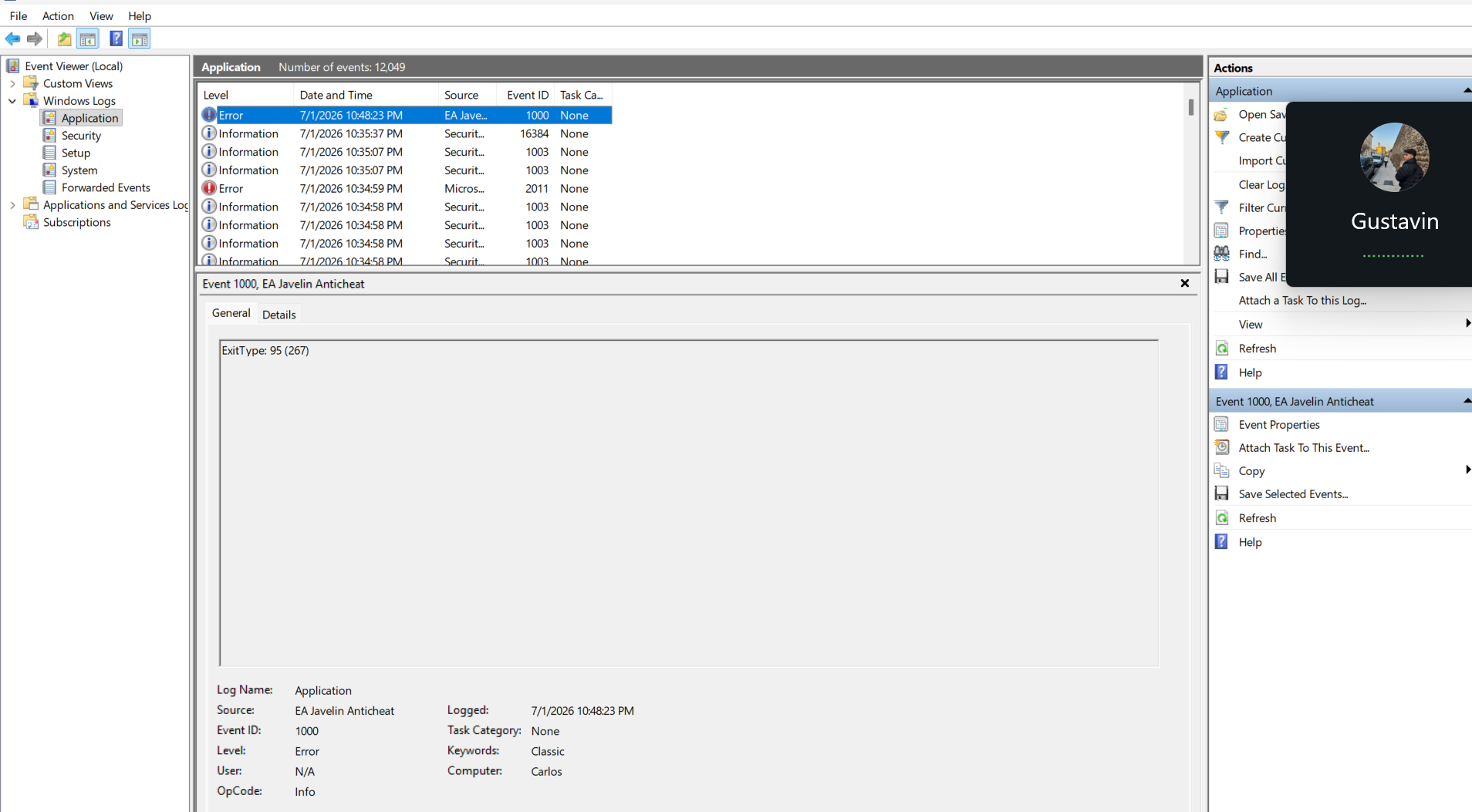
ExitType 95 (267) game crashing outta nowhere
Hi everyone,
I bought EA SPORTS FC 26 during the Summer Sale for $13.99. The game usually runs well on my laptop, but it still closes by itself during or after matches without showing a useful error message.
Windows Event Viewer repeatedly records:
EA Javelin AntiCheat — Event ID 1000
ExitType: 95 (267)
It is then followed by:
Service Control Manager — Event ID 7034
“The EAAntiCheatService service terminated unexpectedly.”
I found around 42 occurrences of ExitType 95 in an exported Windows event log. Windows Error Reporting also recorded a crash of eaanticheat.gameservice.exe with:
Faulting module: ntdll.dll
Exception code: c0000374
My system:
Dell Vostro 7620
Intel Core i7-12700H
16 GB RAM
NVIDIA RTX 3050 Ti Laptop GPU
Windows 11 Pro
Troubleshooting already completed:
- Repaired FC 26 and the EA app
- Reinstalled EA Javelin AntiCheat multiple times
- Verified the game files
- Updated Windows and the BIOS
- Updated both NVIDIA and Intel graphics drivers
- Tested another NVIDIA driver, then reverted after it caused DXGI_ERROR_DEVICE_RESET
- Ran DISM and SFC; SFC repaired corrupted Windows files
- Performed a clean boot
- Disabled startup programs, overlays and background applications
- Disabled Discord and NVIDIA overlays
- Disabled Oculus/Meta services and Meta Virtual Monitor
- Closed Wallpaper Engine
- Completely removed my VPN
- Uninstalled McAfee and WebAdvisor
- Updated the Intel Wi-Fi driver and tested network settings
- Lowered graphics settings and tested offline matches
- Checked RAM, page file, CPU, GPU and disk usage
- Cleaned the fans and air vents
- Replaced the CPU and GPU thermal paste
Secure Boot is already enabled. System Information shows:
BIOS Mode: UEFI
Secure Boot State: On
Memory Integrity is also enabled.
Cleaning the laptop and replacing the thermal paste fixed the previous temperature and FPS problems. The game now runs smoothly with moderate CPU usage, showing that the laptop is capable of running it. However, it still closes and the same ExitType 95 (267) returns.
A clean boot did not permanently solve it. Disabling some services once allowed me to play five or six matches, but the issue later returned. Windows also failed to create a dump for the usual ExitType 95 termination, even after LocalDumps was configured.
I am not looking for another generic reinstall, repair, driver update or Secure Boot suggestion. Has anyone experienced this exact ExitType 95 (267) issue and identified the specific service, driver or software conflict causing it?