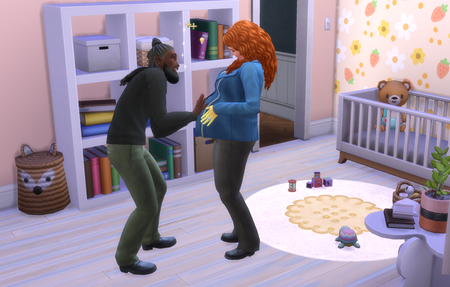
Baby Bingo
This month you'll be exploring the joys of parenthood by having a baby through each and every method available. The old-fashioned way? Absolutely. Mad science? Naturally. Adoption paperwork? Sign it. Try for baby Have a science baby Adopt a baby Influence gender to have a baby girl Influence gender to have a baby boy Occult baby of each kind, with special abilities and traits Have a baby with Grim Have a set of twins Have a set of triplets How do I have a baby? Check out the EA Help guide on pregnancy here for a full breakdown of all the different ways you can bring home a bundle of joy, how to get twins and triplets, and details on how to pass down special occult abilities. Think you can handle the morning sickness, sleepless nights and dirty diapers? Share your screenshots below and let us know how you did!636Views16likes29Comments
New Social Interaction Mods
Hi everyone, in this video, I am sharing I showcase a few New social Interaction mods These mods add more pie menu choices and exciting conversations, Such as Neighborhood Gossip, Bad decisions, and Affairs of the heart, I showcases how these mods work in your game. Watch the full Video Here⬇️ https://youtu.be/X9vke7QCP-013Views0likes0Comments
How does Chamions League qualification work [Career Mode]
Hi, maybe it's me but after wining French Womans' League in career mode I suspected to automatically qualify for Champions league. This didn't happen. Played some months to see if I misread the CL menu in Season > Standings but nope. How can that be? Appreciate a response.15Views0likes1Comment
Game won't let me move sim out of 10 sim household
I'm hoping for some advice on how to fix it. I use MCCC to increase my household size and now that one of the kids are a young adult, I want to move them into their own house. I build a house to move into, but I can't figure out how to move them out. I don't have the phone option to move out (if that was a thing at all). Since I have a 10 sim household, the game would make me move more sims than just the one out. I also realized that the game is making it so my (base game) limit for the household is 7 sims instead of 8. I'm aware I might have to move people around to fix, but does it require creating a new household for said sim and then moving into a house? I'm going to move the other kids out into other houses soon so I would like to figure out a method prior. I'm new to the sims so any information is greatly appreciated.Gameplay advice
Hi I have recently just got back into the Sims 4 after a long time and was hoping for some advice 1. If I want to do a storyline with money issues, e.g. losing money, bankrupcy etc. Is this something I have to "roleplay" and just cheat the money away? 2. What are peoples advice for approaching business and hobbies, I got a load of new packs and this one seems quite overwhelming. I'd love to be bale to make money from hobbies but its quite scary 3. I see posts regarding legacy challenges but havent been able to find something to explain what they are so I can understand? 4. What are you generally spending your simoleans on given how easy money is to come by? 5. Is there a way to prevent promotions? Sometimes for a story arc being able to stunt income would be nice but I dont want to have to sacrafice skill build to do so 6. Is there a way to move people out without having to manually rehome them? E.g. if the parents die and 3 siblings are living there, is there a way to make one inherit the house and the other 2 move out into other places? Or I have to manually relocate them out of the house so they can still have a relationship with the main sim? 7. Any advice on being a landlord? Is it possible to build a small annex on a lot and rent it out? I hope someone wil be able to help me out? TIASolved
List of Townie Lore To Fix
I have tried looking for a complete list of all the townie lore things that need to fixed/adjusted and I cannot seem to find one, but I am sure that 's just because I am not searching for the right phrase or something. I know we got a few family tree connections fixed finally, but there are still lots of relationships to adjust/create and other details. I am wanting to get this done for the starting core of my Forever Save file, and with the amount of interest out there on this I figure there has to already be a list out there ready to go. If anyone could please share a link or discussion thread, I will be forever thankful as it would save my sanity tremendously. Thank you so much!
This game is terrible
I’ve been playing fifa since 2015 and honestly ever since i started playing ultimate team in 2018 i’ve never pulled such a crazy card. Going against players who have all the new crazy promos make me wonder if i really have to spend money. I grind and grind just for me to get fodders. The amount of times i’ve gotten scored on just because the game supposedly makes the most dumbest plays for my opponent to get a free goal. recently i’ve never been more stressed and unhappy with fifa. I just don’t get what i have to do to get this kind of pack luck.48Views1like2CommentsObjectif France
Bonjour, Je sais pas si ça vous a fait la même chose ou peut-être que vous avez débloque l’écusson et les maillots de l’équipe de France mais moi je pensais pouvoir le faire même après avoir fini les 5 objectifs du groupe Allemagne France et au final je crois que je ne peux pas, vous savez si il y a un moyen de les récupérer ou si c’est bloqué pour toujours ? merci de votre aide13Views0likes0CommentsGameplay advice
Hi I have recently just got back into the Sims 4 after a long time and was hoping for some advice 1. If I want to do a storyline with money issues, e.g. losing money, bankrupcy etc. Is this something I have to "roleplay" and just cheat the money away? 2. What are peoples advice for approaching business and hobbies, I got a load of new packs and this one seems quite overwhelming. I'd love to be bale to make money from hobbies but its quite scary 3. I see posts regarding legacy challenges but havent been able to find something to explain what they are so I can understand? 4. What are you generally spending your simoleans on given how easy money is to come by? 5. Is there a way to prevent promotions? Sometimes for a story arc being able to stunt income would be nice but I dont want to have to sacrafice skill build to do so 6. Is there a way to move people out without having to manually rehome them? E.g. if the parents die and 3 siblings are living there, is there a way to make one inherit the house and the other 2 move out into other places? Or I have to manually relocate them out of the house so they can still have a relationship with the main sim? 7. Any advice on being a landlord? Is it possible to build a small annex on a lot and rent it out? I hope someone wil be able to help me out? TIA