Forum Discussion

playswithf1re's avatar
playswithf1re
Rising Rookie
5 months ago
Solved

Cannot get into a live chat with support

I have been trying for over a week to get into a live chat with EA support regarding unlinking my Xbox account from 2f********@disabled.ea.com - an email address that is obviously not mine. 


I have only ever had one xbox account and one EA account. Every time I try to open a case, instead of a live chat window opening when I click on the Chat button here: 

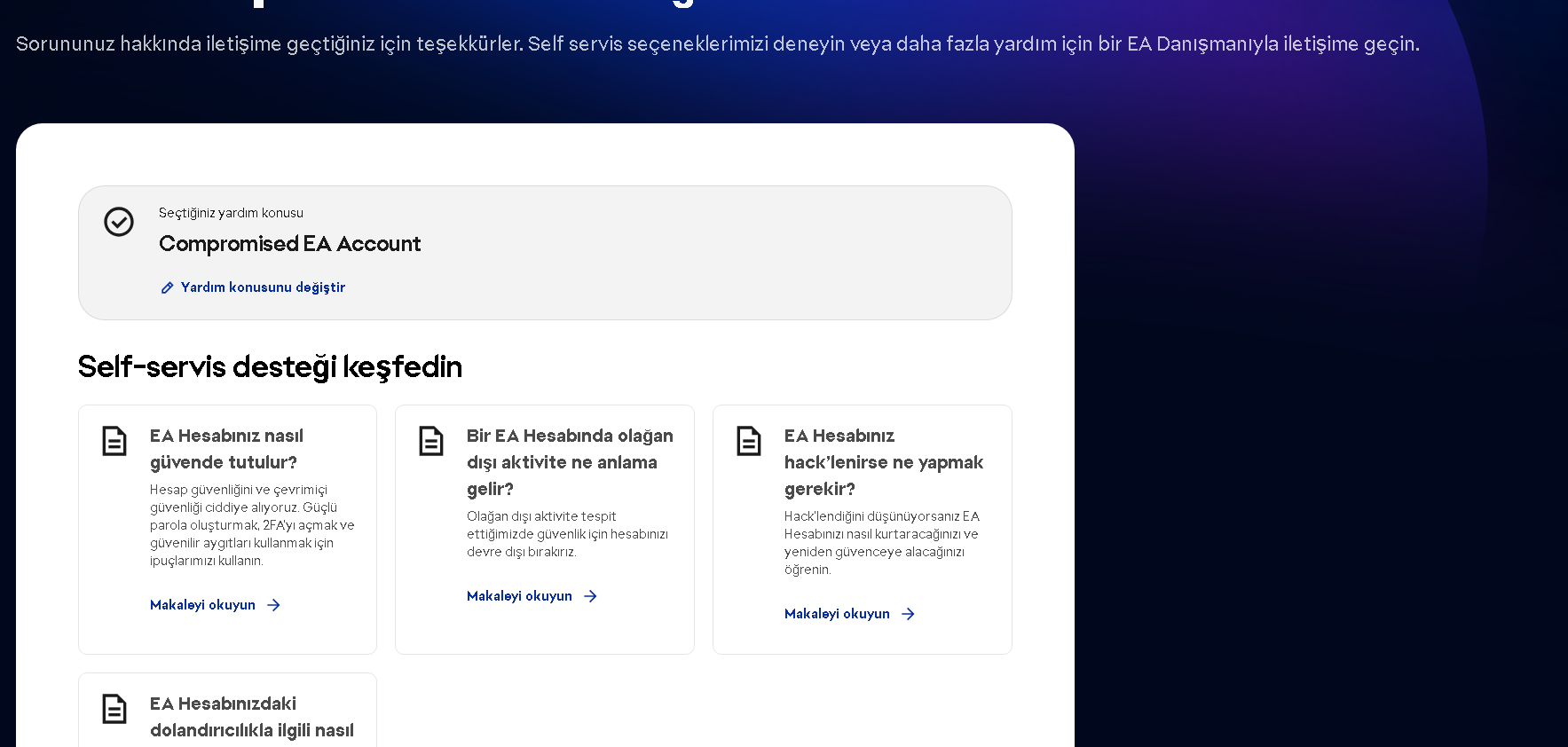
I get a response like this instead of a chat window opening: 

 
However no cases show up in my "Your cases" section of EA help despite receiving opening cases  #967715288 #866029011 #806285781 #883465399 #999283356


This is legitimately infuriating and I just want this problem solved - Microsoft support cannot help, and EA support appears not to want to help. 

  • As I didn't have a second EA account - until this morning - I had not tried that. When I tried to create the support ticket whilst not logged in (as you suggested last week), i put in a different email address, but that didn't work. 

    I tried creating a new account and managed to get on to support chat. Who after 30 minutes was able to fix the problem. 

    I pointed out the sheer number of times and ways I had attempted to log this problem with EA help and how it took creating a whole new account to actually speak to someone, and was told "thanks for the feedback". 

    Honestly, why should a new account have access to support when an account I've had for 13 years (which has purchased over $1000 of games) does not? 

    Something is seriously broken. I hope it gets fixed. 

20 Replies

  • EA_Lanna​ im also having the same issue and have tried the steps you suggested above. i just need to chat with an advisor so i can finish my ticket 

  • EA_Lanna's avatar
    EA_Lanna
    Icon for Community Manager rankCommunity Manager
    5 months ago

    When you submit the ticket it should generate a case. It sounds like it might be bugging out, and I'm not sure why. I've reported it, so it's on their radar, but there's no ETA on that. In the meantime, you need to chat with our support team about restoring the EA account, so I'm hoping testing it on a different device might help you get one through. 

    Edit: playswithf1re​ are you contacting the support team from a different EA account to the one you need help with? 

    Also, do you have any accounts linked up, like a PSN or Xbox? 


    Edit #2: If you have a console linked up, try logging in using the console option, and see if the cases start to log in your 'My Cases' that way. 

  • playswithf1re's avatar
    playswithf1re
    Rising Rookie
    5 months ago

    This is a brand new gaming PC running windows 11, so it's not the first issue. 

    Internet explorer doesn't exist anymore FYI. I have tried on MS Edge and Chrome. 

    I'll try again on a completely different device, but can you tell me why it would give me all those case numbers? 


  • EA_Lanna's avatar
    EA_Lanna
    Icon for Community Manager rankCommunity Manager
    5 months ago

    Hi playswithf1re​,

    I'm sorry those steps didn't work. Thank you for giving them a go anyway playswithf1re​

    Let's see...🤔Microsoft recently retired Windows 10. This could be a factor, so I'd recommend double-checking you're using Windows 11, and if not, updating to Windows 11 just in case:


    The only other thing I can think of at the moment to workaround this is to try it on a different browser, and failing that, a different device. 

    • Different Browser: If you're using Google Chrome > Try Mozilla Firefox or Internet Explorer, and vice versa
    • Different Device:  If you're on PC > Try your Mobile Phone, iPad, or Tablet, and vice versa


    I'm sincerely hoping one of these does the trick for you and connects you through to our support team asap. 

    -  EA_Lanna

  • EA_Lanna's avatar
    EA_Lanna
    Icon for Community Manager rankCommunity Manager
    5 months ago

    Hi agihevub92ga​

    I've merged your post into this thread, as it sounds like you're encountering a similar issue when reaching out to our support team. Could you give the steps in this thread a try? 

    Hopefully that does the trick. In the meantime, I have flagged this as an issue internally to pop this issue on the team who cares for the help sites radar. 

    - EA_Lanna

  • I write down my problem and send it. Then they don't even give me a ticket number. And the tickets I open appear empty. Do you understand me?

  • playswithf1re's avatar
    playswithf1re
    Rising Rookie
    5 months ago

    Thanks EA_Lanna​ - I have just done exactly as you've requested, with the same results. 
    Submitted my case with a prefix that you directed me to do so as guest in incognito, got to this point 

    Clicked on "Chat with us" and got this message: 

    This makes 6 attempts. I may not have a 7th or 8th in me. 

    Please, for the love of everything that is holy, get this fixed so I can link my actual xbox account with my EA account! 

  • EA_Lanna's avatar
    EA_Lanna
    Icon for Community Manager rankCommunity Manager
    5 months ago

    Hi playswithf1re​

    Thank you for giving it a bump. and sorry for missing this the first time around. It sounds like the site is acting up on you, I'm sorry about that.

    Let's see...could you try this workaround, and let us know how you get on with those steps? 

    • Open a private window / incognito mode
    • Click on this guide: How to update your EA Account
    • Scroll to the bottom and select 'Contact Us'
    • DO NOT SIGN IN > Click 'Continue as Guest' instead   
    • Fill in the information asked for > Click 'Submit'


    Hopefully that helps the case connect through to the support teams side.

    In the meantime, I've flagged the site activity you've reported here as a potential bug to be looked into. Thank you for letting us know this was happening. 

    - EA_Lanna