"Origin is not installed and is required to play your game"
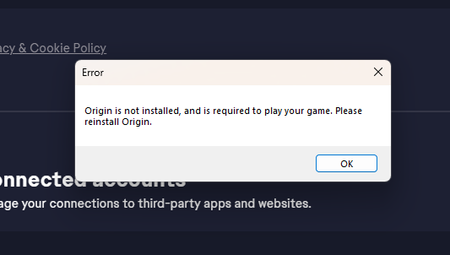

SimsManiacIGuess Please manually open this location in File Explorer:
C:\Program Files\Electronic Arts\EA Desktop
If there's another EA Desktop folder inside, open that. If you see EADesktop.exe inside there, double-click it to open the App, and let me know what happens.
If you don't see EADesktop.exe, restart your computer and delete the first EA Desktop folder. Download a fresh copy of the EA App installer and run it. If you're asked to repair, choose that. Then try again to open the App, through the desktop shortcut first if you want, but if that doesn't work, from EADesktop.exe as described above.