Need for speed 2012 PC and Steam Deck
I can't launch NFS 2012 on PC, after the loading screen it just automatically closes with "Failed to Launch error" on EA app. Disables all startup apps(MSI afterburner, Rivatuner, CCleaner etc.) nothing works. On Steam Deck, the game automatically closes after the game tries to connect to origin (after the Press any Key screen) I think have the same issue on PC.
The Orchard. Rustic Acres
Apologies for any errors I'm visually impaired I've just opened the Orchard, I'm working my way through the 10 days. However the screen is really slow in this area. If I switch to another area within the game its fine. But as soon as I go inside the house, the whole game lags. Thats the only way to describe it. Sims are walking slow, screen is glitchy. I've cleared cache. Any ideas? Thanks3Views0likes0CommentsUnable to connect to EA Servers
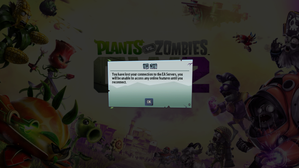
Is anyone else facing this problem where they open the game and it says unable to connect to EA servers and you click ok and it lets you in the game for like 3 seconds then takes you back to the loading screen and says the same thing I've done almost everything to try and fix this I've uninstalled and reinstalled, cleared my cache, repaired my game, redownloaded the antic cheat thingy's cause I thought they were corrupt, I know it's not my connection I've reset my router and restarted my pc EA please fix thisGrid walk cutscene randomly skips
I recently bought the game on steam and whenever I first start the game and go into a race whether is be grand prix mode or career mode, the track intro cutscene plays fine, the grid order cutscene plays fine too, but the moment they go into the grid walk cutscene (the one where the commentators are talking and showing the cars before the formation lap) after the safety car is shown the cutscene automatically skips (every other cutscene though like the celebrations and podium and champagne cutscene play like normal, it's really just the grid walk cutscene that skips). And I've tried every fix like unplugging different peripherals from my laptop to changing controllers and tinkering with the settings, changing refresh rates, lowering graphics, limiting fps and turning on vsync, turning of steam and discord overlay, turning off steam input, and even changing the commentator voices to no avail. I also tried reinstalling the game and verifying files with nothing changing at all. I've tried everything at this point and idk what to do, and idk if this is just a glitch with my copy, or is something that a problem no one just mentions. Another thing I noticed was that when I choose the F2 mode whether it's the 24 season or 25, the cutscene never skips at all and when I go back to. And if I start with F2 and go race in the F1 mode after, the grid walk cutscene doesn't skip too. And, after that first initial skip, if I start in the F1 mode, it never skips again until I close the game and open it again for my next playthrough, and another temporary fix I found when I start the game is to skip the first two cutscenes (track intro, grid order), and the grid walk will play normally and play normally until I close the game again, and there are times when I start the game and the skip doesn't happen at all. So I'd just like to know what's going on, is there a fix for this? And if it's a bug... PLS FIX IT EA Report Code: CMXR-TXBB-BDMD-SCDGSweet Tooth Town constantly freezing
In the Sports Tailgate Party Bingo Jam event, one of the challenges is obtaining candy swirls in Sweet Tooth Town. We are forced to play in sweet play mode or the swirls don't count. The game freezes which it has done for quite some time but to play in this mode, it's constant which is ridiculous and prevents us from obtaining the rewards. A lot of members are complaining. This problem happens no matter what device I use. I am computer savvy so yes I have cleared cache, cookies, etc. photo attached, 1 click and the board is frozenSolved814Views7likes93CommentsThe sims game not available for purchase and has an error when downloading
hello ive been trying to download the game on my dell laptop for some time now, i cleared the cache, have more than enough space 460gb, and reinstalled the ea app, reset my laptop, and it stills shows me this message when i want o download it. "there is a problem with your download"... i also asked on reddit and some one said it might be an anti virus issue but i stopped mt antivirus settings and made ea an exception but sill cant download. now is the next day and i went to try again but the free games on the left menu where u can immediatlly download them is gone??? please help me, thankss.