
Forum Widgets

Sims 1 legacy not showing on EA APP.
I have Sims 1 legacy on steam and it is linked with the EA app. I registered the original cd's on Maxis.. can i use those to register on the EA APP Cause i still have all of the original CD with Game Codes? Cause i've got a 4 sims games.. 2 ultimate collection shows up, sims 3 and sims 4 all show up in library.. I have the Sims 1 legacy and sims 2 legacy ( i guess ultimate collection) through steam. Yet sims 1 is the only one that doesnt show up in EA library.RDTravis24 days agoRising Novice60Views1like1Comment
Continued lag and UI scale issues with 1920x1080p
I posted about this same topic 8 MONTHS AGO!! EA have not done anything about this issue and hasn't bothered to reply to my post either. I have been waiting all this time and it's just not good enough, EA. To begin with there was the issue with the UI scale being way too small with the 1920X1080. Since the last update way back in April, this UI issue wasn't fixed and then after that update, it also caused my game to have a terrible jerky lag. It's NOT my laptop that's the issue. Apart from the UI being too small the game ran fine before that update. I actually ended up uninstalling the game way back in April and completely gave up. 2 days ago, I redownloaded and reinstalled the game to see whether EA might have fixed that issue. However, they have not. The issue is still persisting and not one person has bothered to respond and yes, I tried all the so-called new resolution settings you added in the game but that never worked either. It doesn't matter what I do, the game runs like trash. Works perfectly fine on my gaming PC but not on my gaming laptop with 1920X1080. Whatever update you did, it just made everything worse. I've tried all the advice about changing the resolution in Windows settings. It doesn't work! Besides, I shouldn't have to do that every time I want to play the game, and I definitely shouldn't have to buy a new laptop with a better resolution in order for it to work. This is from YOUR update. The game should just run and be playable. I am really quite frustrated with you now, EA. This isn't right. I have waited for a reply from you for 8 months now! I'm trying to be as respectful and patient as possible and you are not making this easy. Has anyone else with 1920x1080, experiencing this problem still or have you seen any improvements at all?? Has EA even replied to you? NOT HAPPY!MeggleMonster27 days agoSeasoned Adventurer56Views0likes1Comment
Sims 1 Wont Launch: Crashes on Opening Screen
Hola! I had very few bugs with Sims 1 until the very last update. Ever since my game won't launch, only a few seconds after the opening screen appears it crashes so I was unable to access the game FOR MONTHS. I didn't pay for a game to have it as decor, I want to play it since my simming experience started with TS2 so I never had the chance to experience TS1. However, I repaired and reinstalled the game dozens of times and it still keeps crashing. I have tried everything and it just won't launch. If anyone has any suggestions, please don't hesitate. Thanks Kind regardsLaFleurDuMal132 months agoSeasoned Novice38Views0likes0Comments
Click and censorship visual glitch
Hi, how are you? I recently purchased The Sims Legacy and noticed that when I open the interactions menu in Live Mode (to click on the ground, an object, a Sim, etc.), I get a visual glitch. This also appears in the censorship when my Sim takes a shower or goes to the bathroom. I don't know how to fix it, and while it doesn't prevent me from playing, it's quite annoying. I've attached photos of what I'm dealing with. Thanks in advance for any help!5K1L4H3 months agoNewcomer48Views0likes0Comments
Sims and Sims 2 legacy collection
I bought the Sims and Sims 2 legacy collection and I didn't receive the bonus Sims 4 kits on either. The grunge revival or the throwback fitness kits. Amazon will not help me and EA won't help me. It has been a nightmare, Amazon says I have to contact ea the game developer and EA says I have to contact amazon the retailer I bought it from. I have tried to resolve this issue for days. Neither company is taking responsibility. They wont even try for a solution they just tell me to contact the other company there is nothing they can do.cml23084 months agoNew Novice198Views0likes3Comments
Can some one help! WARNING; game flashes
So I have The Sims + The Sims pack and this keeps happening 😭. I tried both repairing and uninstalling and reinstalling the game and it's still doing this. Can anyone please help me! ( Sorry for the talking in the background boyfriend is playing the new battlefield😅)Justducky19935 months agoSeasoned Newcomer65Views0likes0Comments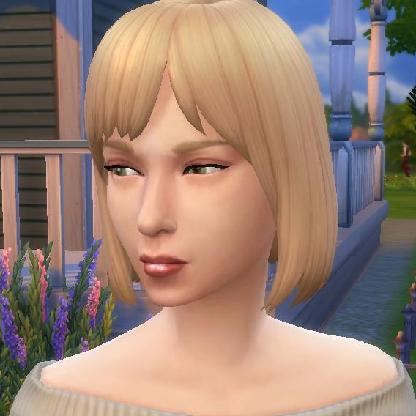
Wish List Item: Please give us a choice with add-on packs!
The Legacy Edition came with the edition of certain "Packs" that were never a part of any of my disk games. Never. You could download the characters from the commercials, if you chose. I chose not to. I've never heard of this massive group of mutant/army/futuristic skins that fill my skin data folder. I would rather not a) have NPC Sims randomly spawn looking like that in any of my places (Downtown, Magic Town, Studio Town) nor b) have to scroll through endless amounts of non-desirable faces and outfits that are better suited to a war game than the Sims. Choice is a wonderful thing. It's much of the appeal of The Sims: You tell your story your way, you choose how to play, you even choose which custom content to include. Frankly, having these packs automatically included limits my choice. I pull them out of the folder and then the program "nags" me about needing file repairs. Not being able to trust that my files have not become corrupted, I need to periodically "repair" them, which means the EA app will reinstall them. It's time consuming, bothersome, and limits my enjoyment of the game. Please, please, please, EA, consider making this a choice - a tick box even, for installing the game. Sincerely, A long time fan since 2000LillyPutian5 months agoNew Scout149Views1like2Comments
Maxis prepackaged cc
Have any of you managed to successfully download the prepackaged cc that Maxis gave us to this new Legacy edition? I'm talking about the McDonalds kiosk and the Pepsi machine. Anytime I try to open the prepackage files it tells me the game is installed incorrectly. Any work around?Jaletu6 months agoNew Ace193Views0likes4Comments
The Sims Legacy (Steam version) won't launch
The game won't launch at all. When I try to run it, the Sims icon briefly flashes in the taskbar for a millisecond and then disappears. Steam acts like it's launching the game, but then the Play button just resets. I’ve already tried the suggested fixes from the official EA forum including updating my drivers, but nothing works. I’ve also seen other users mention that the issue might be related to the latest NVIDIA drivers. Please investigate and release a fix.Begmeritz6 months agoNew Novice180Views3likes3Comments DenLomanov6 months agoSeasoned Newcomer79Views0likes0Comments
Z-Buffers on outside SW Wall
Are you all aware there is a serious z-buffer issues where objects bleed through the SW Wall? Well, now you are! Please look into this. If nobody has mentioned it here, well it's been mentioned in a lot of other forums and is a real issue that needs addressing. Thanks, Heather C.simfreaks6 months agoSeasoned Scout58Views0likes1Comment
Disappeared!
My Sims Legacy showed in the app library and I launched from there. Today, GONE from the app library and now the app has disappeared from my desktop. The game still shows in my computer files but no way to launch it from there.bf01bc587faf5f8a6 months agoRising Newcomer77Views0likes1CommentThe Sims™ Legacy Collection is NOT Launching
The Sims™ Legacy Collection on Steam was working (launching>running) fine about a month ago, but now the game is not launching, despite trying several solutions that I found online. The game logo briefly appears in my taskbar and then disappears. The game doesn't run, and the Steam button just switches back to "Play." OS Name: Microsoft Windows 11 Pro Version: 10.0.26100 Build 26100 Please fix and propose any solutions. Thank you.Croxyproxy17 months agoNewcomer137Views0likes0CommentsThe Sims™ Legacy Collection is NOT Launching
The Sims™ Legacy Collection on Steam was working (launching>running) fine about a month ago, but now the game is not launching, despite trying several solutions that I found online. The game logo briefly appears in my taskbar and then disappears. The game doesn't run, and the Steam button just switches back to "Play." OS Name: Microsoft Windows 11 Pro Version: 10.0.26100 Build 26100 Please fix and propose any solutions. Thank you.Begmeritz7 months agoNew Novice90Views0likes0Comments- w8a151w9n2i97 months agoRising Newcomer43Views1like0Comments
Brand New PC... Game Won't Start
Hey, everyone. I've attached the specs of my new PC here. Any ideas on how to get the game to start? I just get a black screen and sometimes some sound. It messes my PC up so much that the task manager even crashes. The EA Error Reporter app just freezes when I try to submit a report. Insanely frustrating!KatieGez7 months agoSeasoned Newcomer100Views0likes0Comments



Community Highlights
Featured Places
The Sims
Get simspired with our Sims community; share creations, discuss stories, get support and get updated on all Sims titles.The Sims 4
Share your Sims 4 creations, discuss stories, get help with expansions & updates, or help others in our friendly forum.The Sims 3
Talk about your Sims 3 creations, chat about what happened in your game and get help from the Sims community.The Sims 2
Share your experiences, get to know other Simmers, and find troubleshooting & fixes in the official The Sims 2 community.The Sims
Share your experiences with the community, get to know other Simmers, and find troubleshooting & fixes for the original The Sims game.MySims Cozy Bundle
Play the original MySims and MySims Kingdoms with the new MySims Cozy Bundle for Nintendo Switch and PC!The Sims Mobile
Make a connection with Simmers, share your knowledge, and troubleshoot issues in The Sims Mobile official community.The Sims FreePlay
Join Simmers like you, discuss your time with the game, and find fixes in The Sims FreePlay official community.The Sims Franchise Discussion
Discuss The Sims Medieval, classic The Sims titles, and speculate on the future of the franchise, including Project Rene.The Sims Game Info Hub
Sims highlights, news, patch notes, livestream, with curation guides and posts from Maxis.


