Forum Discussion

Sjakie_Jacques's avatar
Sjakie_Jacques
Seasoned Rookie
1 day ago

Packs i own show up as "Not Installed"

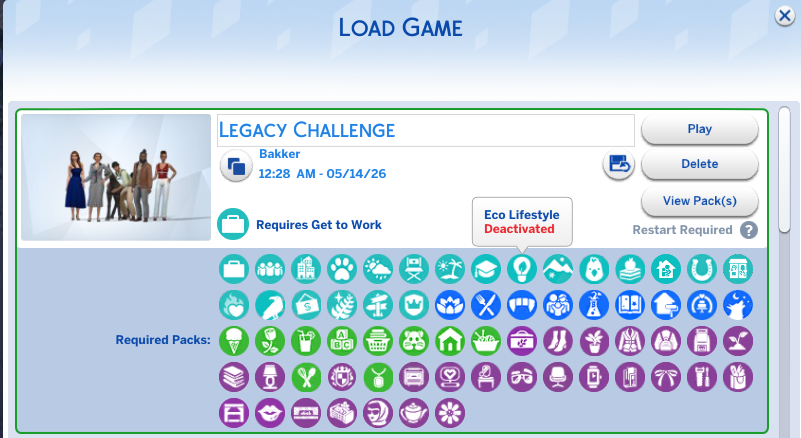
After the new update that brought the new event from Lady Brighterton i cannot play with packs anymore. I restarted the game, my PC emptied my Mods Folder and it still shows up as "Not Installed" and at the moment i don't know what to do and what to expect. Can someone please help me out so i can continue playing my saves. I would really appreciate that. Thanks you in advance!


7 Replies

  • Sjakie_Jacques's avatar
    Sjakie_Jacques
    Seasoned Rookie
    3 hours ago

    I have to try yhe link then but i haven't opened the game for 24h but i'll try when i have the time thanks so much

  • when i had issues where it showed that packs i own are uninstalled i had to remove the usersetting file i had to manually select each pack to reactivate it and then force restart the game from the march  update im not suer if it would help you or not

  • I'm also having this issue since the most recent patch! I resolved it briefly when I repaired the game but it only lasted for one load of the game (next time I loaded they weren't showing up again). Deleting the UserSetting.ini file didn't resolve my issue and I don't have any other copy of the game installed. 

  • Sjakie_Jacques​  Please open Marketplace > My Collection and see whether your packs are deactivated there.  If so, reenable them and restart.  If you can't reenable them all for some reason (this can get weird when a lot of packs are disabled), delete UserSetting.ini, in Documents > Electronic Arts > The Sims 4, and reload the game.  This should reenable everything.

    If this doesn't help, please see this guide to missing DLC:

    ⚙️[PC] [Mac] Sims 4 Missing Content (DLC) | EA Forums - 12636720

    The last category covers your particular issue.