
Forum Widgets
Featured Content



 GFOD-_GOKU9 hours agoNewcomer13Views0likes1Comment
Balanced Games
Whilst I could ask about the absolute disaster of matchmaking, which is clearly broken, that's not what I referring to. I've been trying to figure out for a while what the algorithm is for deciding whether you are attacking or defending in Casual Breakthrough. I've been monitoring for this last six days, and it would appear that I spend 68% of my time on the defending side. As you know the game assigns you which side you are on, so why is it so imbalanced? In tonight's nine rounds, I was only attacking on two maps, defending on the other seven. Now whilst you might well believe that defending is better, I'd say no matter I come top of the scoreboard, I more often than not end up losing defence matches. Matches are generally all over in 10 minutes, because the teams are so unbalanced. In just 10% of games, do we get a match that goes down the to the wire - i.e. its so well balanced. But that doesn't even start to address the issue with the bots lately. It's like bots have become hardcore. It used to be that you'd find a good spot for cover and one or two bots would come looking for you. Now, you don't even have to fire your gun, but once a bot sees you, all the bots know exactly where you are, and they ALL start firing at you. And not only that, but I've had bots shoot at me with their SMG's from 90 yards away, when there are clearly my teammates between them and me. Earlier tonight, in one map, I had literally scraped through a firefight, and found a quiet place to reload, and drop a medkit / ammo pouch, as it was in single figures health. Then another bot to start shooting the wall behind which I was covering. And of course a real player comes along to find out what the bot is shooting at, and there's another firefight. That's not the way fights are fought. One person maybe spots you, and give's a rough ping as to where you are, but real players still have to come looking for you. Bots, on the other hand know your exact location, direction of travel, etc. etc. There's nothing casual about Casual breakthrough any more. I used to love playing it since it wasn't 100% run and gun; it was a little more relaxed, but no longer! We now have bots taking tanks and they never ever miss; there's no fun in it any more.W4RD0G7113 hours agoSeasoned Vanguard23Views0likes1Comment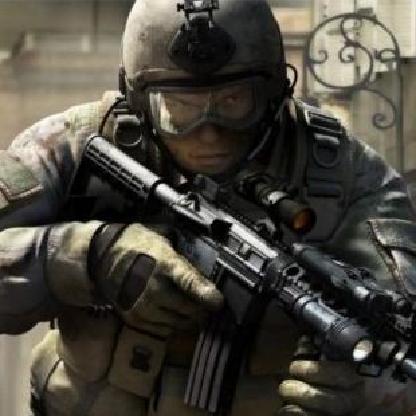
Ranked High Ping
Being forced to play ranked on high ping servers is absolutely ridiculous. I fail to get a kill even with first hit and better weapon, its just completely unfair. Give players the option to only join regional servers instead of one across the world. I understand the player base isnt that high, but I'd honestly not play at all or wait 15 minutes for a local server than join a high ping server, be forced to play because if I leave, I lose RP, and then waste my time and lose RP anyway because I get killed before I even see someone. Or get rid of the RP penalty if you leave when you join the game before it starts because you see you have 120+ ping. So many options here and I'm about close to completely quitting this game after losing over 200 RP to terrible high ping servers.nuwan3216 hours agoSeasoned Newcomer11Views0likes1CommentBattlefield 6 detects Secure Boot as disabled on Diskless internetcafe x
Hello EA Support / Battlefield Team, I would like to report a serious compatibility issue with Battlefield 6 and EA Javelin Anti-Cheat on Windows Diskless systems. Currently, Battlefield 6 cannot be played on our Diskless computers because Javelin Anti-Cheat incorrectly reports that Secure Boot is not enabled. This issue occurs on both Windows 10 and Windows 11 when running in a Diskless environment. Our computers have UEFI boot mode enabled and Secure Boot is enabled in the motherboard BIOS/UEFI. Windows also reports "Secure Boot State: On" in msinfo32. However, when launching Battlefield 6, Javelin Anti-Cheat reports that Secure Boot is not enabled and prevents the game from running. The problem appears to be related to how Javelin Anti-Cheat detects or validates Secure Boot on Diskless systems. Please investigate whether Javelin Anti-Cheat currently supports Windows installations running through a Diskless or network boot environment. Please specifically check the Secure Boot validation process, including UEFI Secure Boot, Secure Boot keys, Windows Boot Manager, EFI System Partition, TPM 2.0, and Diskless/network boot environments. This issue is affecting multiple computers in our gaming cafe. The problem occurs on both Windows 10 and Windows 11. Please let us know if there is a required configuration or a planned Javelin Anti-Cheat update to support Diskless systems. We can provide screenshots, msinfo32 information, Secure Boot configuration, TPM information, and Javelin Anti-Cheat logs if needed. Thank you for investigating this issue.needspeedcom1818 hours agoSeasoned Newcomer30Views0likes2Comments
Constant Crashes After Latest Update - PC
Hello, As of two days ago, my game has been crashing ~10 minutes after joining a multiplayer game. I've never had any crashing issues before, but it's progressively gotten worse to the point that it now crashes to desktop without an error message popping up. Unfortunately, I'm not very tech-savvy so my troubleshooting has been limited to Google recommending things like switching around settings and rolling back graphics drivers, to no avail. All of the error messages reference my graphics card/drivers; the screenshot below is an example of the most common error message: Thanks in advance for any help.- 4kv1d4rv5tzj2 days agoRising Newcomer50Views1like1Comment
BF 6 crashes (access violation 0xc0000005), extensive hardware testing clean
Hello, Battlefield 6 repeatedly crashes to desktop on my PC. I have ruled out the common causes (details below) and have attached the crash dump files. PLATFORM: PC - Game: Battlefield 6, launched through Steam (game version/build: Oct 1, 2026) - OS: Windows 11 Home 64-bit - CPU: Intel Core i7-14700K - GPU: NVIDIA GeForce RTX 4070 SUPER, driver 61714 (as shown in the game's DirectX error) - RAM: 64GB DDR5 (4 x 16GB) - Motherboard: ASUS Prime Z790-V AX, BIOS 1840 - Secure Boot: enabled SYMPTOMS The game drops to the desktop, sometimes after a brief stutter or freeze. No Windows blue screen in these cases. Crash dumps (.mdmp) show EXCEPTION_CODE_STR c0000005 (access violation), MODULE_NAME bf6, IMAGE_NAME bf6.exe. SYMBOL_NAMEs from the recent crashes: bf6+50961b1 (four crashes with identical symbol), bf6+508e4c0, bf6+4fabc0a. Earlier crashes the same morning showed different symbols; those happened while my CPU was thermal throttling before I added a power limit. On first launch (more than once) I also saw a one-time DirectX error: CreateComputePipelineState failed with E_INVALIDARG (PipelineDx12Compute.cpp), and once a PAGE_FAULT_IN_NON_PAGED_AREA blue screen after enabling Secure Boot. I haven't had a blue screen very recently in this testing so I'm more focused on the crashes that are occurring with SYMBOL_NAMEs: bf6+50961b1 (four crashes with identical symbol), bf6+508e4c0, bf6+4fabc0a. Windows Event Viewer shows no WHEA, Display driver, or Kernel-Power events at crash time, only the EAAntiCheat driver unloading normally. WHAT I HAVE ALREADY TRIED Steam Verify Integrity of Game Files: all 931 files validated. Reinstalled the EA anti-cheat component. Renamed the game's settings folder in Documents; cleared DirectX and NVIDIA shader caches. Updated to the latest GPU and chipset drivers; sfc /scannow clean Closed overlays and third-party tools (Razer Cortex, etc.). Reduced the CPU power limit to 150W and raised fan speed; max CPU package temp during crashes is about 84-85C with no thermal throttling. Crash still occurs with RAM at 4200 MT/s, after reseating a RAM stick that was not fully seated. HARDWARE TESTING (ALL CLEAN) MemTest86 full run: PASS, 0 errors Intel Processor Diagnostic Tool: PASS OCCT CPU test (30 minutes): no errors OCCT CPU+RAM test (30 minutes): no errors, at both 4200 and 5600 MT/s Another demanding game on this PC (Wardogs) runs without crashes. REQUEST Could you check whether these offsets (bf6+50961b1, bf6+508e4c0, bf6+4fabc0a) map to a known issue in the current build, and let me know if there is a fix or workaround? I have attached the .mdmp files/crash logs. Thank you, Erik / Steam ID: 76561198128417135 Date of most recent crash: October 3, 2026erikrichards2 days agoSeasoned Newcomer89Views0likes6Comments
It's 2:30pm PST Saturday, Ranked Unplayable due to Ping
In Ranked...why am I connecting to servers with 180+ ping...guaranteeing me a loss in any gunfight I try? I live in the US, I only want to connect to US servers, please make this possible or the entire community will continue to be sad. Give us regional selection, unless you simply cant do it because you don't know how, in which case you should probably stop making games... Enough of this amateur garbage please. These things are NOT hard. This is amateur hour and it's a joke. Has EA hired capable employee's, or have they hired scammers who cant solve simple connectivity issues? Tune in to find out....No height audio in multiplayer
No height audio in Multiplayer with PS5 + Dolby Atmos, but Campaign works fine I'm getting no height/overhead audio in Battlefield 6 Multiplayer, despite the same setup producing clear height audio in Campaign. Setup - PS5 Pro - Denon AVC-X3800H AV receiver - 5.1.2 speaker system - Dali Opticon 6 Mk2 front L/R - Dali centre and rear surround speakers - 2 × Dali E60 ceiling speakers, configured as Top Middle - PS5 connected directly to the Denon via HDMI Settings - PS5 Audio Output: AV Amplifier - PS5 Audio Format (Priority): Dolby Atmos - BF6 Audio: Spatial 3D - Denon correctly detects Atmos Tests - Denon test tones confirm the physical surround and Top Middle speakers are correctly assigned. - BF6 Campaign produces clear and obvious audio from the ceiling/height speakers. - BF6 Multiplayer produces no apparent audio from the ceiling speakers, including in the Gun Range. - I also tested PS5 Audio Format set to Linear PCM, but this made no difference in Multiplayer. So the PS5 → Denon → height-speaker chain is demonstrably working, and BF6 Campaign produces height audio correctly. The problem appears specific to the Multiplayer audio output, although I don't know whether this is a game bug or something specific to my setup. Has anyone else experienced this with a PS5 and physical Atmos/height speakers?42640bf5e96135b92 days agoSeasoned Newcomer16Views0likes1Comment
Game crashing on compiling shaders
I have tried getting back into BF6 after a whole month break to finish the battlepass before season 5 yet i simply cannot get past the shaders screen without crashing. I have done all known fixes; reinstalling graphic drivers/using older more stable versions (using ddu) deleting shaders reinstalled the game AND anticheat many times and i finally checked out event viewer as i never used it before and i am getting an error called: ExitType: 0xC102E1B1166EFBC9 (0x57AD527C0C8A0376) I have no idea what this means and how to fix it, i have googled and searched the forums and have not seen a single post about this error code, i'v love to have some insight on this, thanks.35Views0likes0Comments
Slow movement and TTK and latest two updates are trash.
The last two updates have gutted what made BF6 worth playing I've got around 400 hours in Battlefield 6, and I can't remember the game ever feeling this bad. Before these last two patches, the movement was perfect. It was fast enough to reward good positioning and quick decisions, and grounded enough that it still felt like Battlefield. If you got caught out, you had a chance to outplay your way out of it. That was the skill gap, and that was the fun. Now it feels like running through wet cement. Movement is so slow that there's no outplay left. Get caught in a bad spot and you're just dead, because nothing in your kit lets you react your way out of a jam anymore. The patches have lowered the skill ceiling, not balanced anything, and the players who put the hours in to get good at movement are the ones being punished. And while legitimate players got slowed to a crawl, the cheaters are back in force. It's as bad as it has ever been, with lobby after lobby of blatant, obvious cheating. So the people playing fair get nerfed, and the people who aren't get a free run. Slower movement makes it worse too, because you're now an even easier target for someone who was never going to miss anyway. Then people act surprised that the player count is dropping. Nobody asked for the movement changes, and the one thing everybody has asked for, effective anti-cheat, is going backwards. You can't keep taking away what players love, ignore what's driving them off, and expect them to stick around. Revert the movement to where it was two updates ago and get serious about the cheating, or keep watching people leave.M0rph4eus3 days agoRising Traveler14Views0likes0CommentsMatchmaking
What is going on ? The new patch/update absolutely destroyed matchmaking. Before it i was having no issues joining full lobbies/lobbies without bots, thats long gone now. WE DO NOT WANT TO PLAY AGAINST BOTS, THAT IS WHAT CASUAL IS FOR. Ive been playing everyday for the past few months now i refuse to play it untill this is fixed, its not fun at all, no point in multiplayer if you guys are just filling every lobby with bots, server error messages popping up after every game, what is this ? Do you guys think if you break MP people will just go play redsec ? Its not going to happen, absolutely destroying all the hope I had for this game and its a shame that you guys are driving it into the ground with every new patch update. The dev team should be ashamed of themselves for doing the same thing over and over, constantly dissapointing there fanbase which seems intentional, im not playing against bots, if i wanted pve ill play active matter or something along those lines. Multiplayer IS battlefeild not redsec, redsec should not be treated as the main game mode, this stuff needs to be fixed asap, ive put plenty games down and never touched them again and it seems like battlefeild is next on that list if these things arent sorted out quickly, I need more room on my hard-drive anyway. [Edit: All caps removed from title - ElliotLH]Stizzyfs3 days agoNew Rookie121Views1like3Comments

Featured Places
Battlefield Game Info Hub
Read the latest news and announcements from the Battlefield Team.Battlefield 6
Discuss the latest news and game information around Battlefield 6 in the community forums.Battlefield 6 General Discussion
Join the Battlefield 6 community to get game information and updates, talk tactics and share Battlefield moments.Battlefield 6 Technical Issues
Having issues with Battlefield 6? Join here to find help with connectivity, performance issues, crashes and more.Battlefield 6 Bug Reports
Report bugs and see what the Battlefield 6 community is saying on this forum.


