

Iden and Del campaign idea
I think it would be awesome to add a secret bonus campaign or mission to Star Wars Battlefront II centered around Iden Versio and Del Meeko. Instead of their official ending, the story opens with a dramatic cutscene showing both of them waking up inside bacta tanks in a hidden Outer Rim base. It turns out they faked their deaths to escape Imperial loyalists and First Order bounty hunters who held a grudge after Endor. Players could play through missions defending their secret hideout alongside DIO, uncovering new story elements, and unlocking special retired veteran skins for Arcade and Heroes vs. Villains modes. It would be a fantastic way to give Inferno Squad the happy ending they deserve!FutureGamez872 days agoRising Newcomer9Views0likes0CommentsIden and Del campaign idea
I think it would be awesome to add a secret bonus campaign or mission to Star Wars Battlefront II centered around Iden Versio and Del Meeko. Instead of their official ending, the story opens with a dramatic cutscene showing both ape Imperial loyalists and First Order bounty hunters who held a grudge after Endor. Players could play through missions defending thes modes. It would be a fantastic way to give Inferno Squad the happy ending they deserve!FutureGamez872 days agoRising Newcomer5Views0likes0CommentsHACKER
I was playing a game of duels with my friend. I got defeated and I was spectating my friend. He defeated one of the players and it came to a 1V1 situation. But then out of nowhere the player that was defeated by my friend respawned as a different character and they played a 2V1. Then the next round we went again with the hacker 2V1 and defeated him. but then he respawned and killed me again. So if anyone who can ban him and resolve this issue will take care of this situation. I would be really thankful. His EA profile name is V*****n. [Hero edit: removed player ID and video with player ID]kolacek9617 days agoRising Newcomer36Views0likes1Comment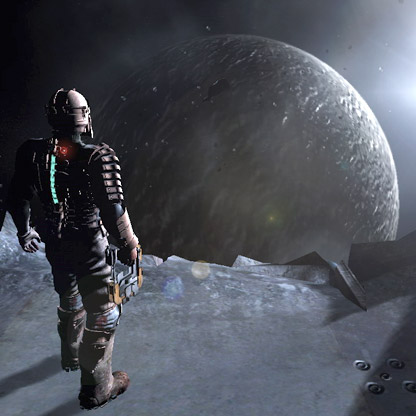 TabooMagician5021 days agoSeasoned Newcomer53Views4likes2Comments
Error code 216
This is an issue that would appear to be a simple fix with either internet or server issues, but unfortunately every solution I have researched has not worked for me. I have tried to reset my router, uninstall and reinstall, tweak all kinds of settings and I still get the same error code 216 every single time I try multiplayer. What’s weird is that it began around two years ago. I would play a lot and then slowly I would get this error code more often until it was all I got. I have no clue on what to do or if I should contact EA support because I am fairly sure it is an issue on their end, but I am open to any suggestions on what to try or any support. I am a huge Star Wars a fan and I payed big money to own this game so it kills me to not be able to play it.SolvedGreenEmberGamer23 days agoSeasoned Novice96Views0likes5CommentsCan we make Star Wars Battlefront II Crossplay capeable
I’d like to suggest improving cross‑platform support and matchmaking in future Star Wars titles. Games like Battlefront II still have active communities, but players are split across platforms. Adding full cross‑play and better matchmaking tools would help keep the player base connected and make the experience smoother for everyone. This also means players who are limited to a certain platform can play with others who are not on the same platform.67Views1like3CommentsCampaign Milestones Stuck after Server-side Reset
Since EA has disabled its customer support email (and since that hasn't been very useful in the past anyway), I thought I would try bringing up an issue here. Any thoughts at all on what I could do would be appreciated. The problem: Two campaign "Scavenger" milestones (find every hidden item in a mission) are stuck as incomplete in the Career > Campaign screen, even though the corresponding Select Mission screens show those hidden items as already found: - Under Covered Skies: Scavenger: Career shows 3/4, but the mission's collectibles display as unlocked/found - Until Ashes: Scavenger: Career shows 1/2, but the mission's collectibles display as unlocked/found Root cause: Some time ago, an EA server-side event reset milestone progress on my account (and others; this was widely reported at the time): any milestone not already completed was zeroed out. Critically, that reset zeroed the milestone counters but did NOT clear the per-mission "item found" flags. This left my account in a contradictory state across two of EA's data fields. Why I cannot fix this through gameplay: Because the items still register as found in the mission, the game will not let me re-collect them, and the milestone counter only increments on a fresh collection. On console, this would be fixable by deleting local save data to force a campaign reset, but the PC/EA App version stores this progression server-side with no player-facing way to reset it. I've tried uninstalling and reinstalling, and playing offline, but neither of these methods worked. Is there any way to get EA to do one of the following (any of these options would resolve the issue): Manually credit the two affected milestones to complete (Under Covered Skies: Scavenger 4/4 and Until Ashes: Scavenger 2/2), or Perform a reset of my campaign progression for these two levels so I can replay and re-collect every item cleanly, which will re-feed the milestone counters correctly, or Perform a full reset of my campaign progression so I can replay and re-collect every item cleanly, which willre-feed the milestone counters correctly.(I'm fine with losing campaign progress, as long as online progression, unlocks, credits, and other earned milestones are preserved.) Alternatively, is there anything else I can do on my end? Thank you to anyone who can offer comments or guidance.50Views0likes1CommentI need help
I have been plagued with bad luck when trying to contact anyone from Customer Service at EA. Repeatedly, I have tried to get my account fixed, they ignore me. I’m pretty sure that my EA account has been hacked because there is an unrecognized email attached. No one at EA seems to give a **bleep**.. I have opened numerous tickets, nothing has been done to this day. I personally do not understand why EA tech-support has to be involved when I try to delete my profile. my EA account name is, LOVA94. When I log on to my EA account using my phone or computer, I see an unfamiliar email and an unfamiliar account name attached to my account. The unfamiliar account name is, Hilarysnuke. The unfamiliar email is, [edit: email address removed] I want these removed from my account. I have not been able to play a single game from EA since October 2024. All of my content is being withheld from me by the people at EA because they will not give me the authority to have control of my own account.LOVA9428 days agoRising Newcomer34Views0likes1Comment
Star Wars Battlefront II – Old progress visible, but unlocks are missing
Star Wars Battlefront II – Old Progress Visible, but Game Treats Account as New Hello everyone, I can see that I'm not the only one experiencing this issue, but after hours of research and even a phone call with EA Support, I still haven't found a solution. I'm experiencing what appears to be a progression/account synchronization issue in Star Wars Battlefront II. My account still displays parts of my old progression from the Origin era, but at the same time the game behaves as if I'm playing on a completely new account. What I can still see Parts of my old progression are clearly still visible: Old class levels are displayed Old hero levels are displayed Previously completed challenges still show completed progress bars Various indicators suggest that my historical progression data still exists What is no longer working Despite the old progression being visible, the game no longer recognizes it correctly. The following systems are affected: Class levels Hero levels Star Cards Weapons Skins Milestones / Challenges Achievements Example One of the clearest examples is the achievement/challenge system. Many achievements and challenges still show completed progress bars, indicating that I completed them in the past. However, the overall achievement counter shows 0/23 completed (see attached screenshots). In other words, the game appears to remember that the progress once existed, but it no longer treats it as completed or unlocked. The same pattern can be seen throughout the entire progression system: old progression data is still visible, but the game behaves as though I am starting from scratch. Additional information Platform: PC IGN: Ergonax No error messages I am using the exact same EA account that I used during the Origin days I have never changed my EA account email address I have never changed account ownership I have never linked a different EA account I have never created a new account I have reinstalled the game I have tested the game on multiple PCs The issue remains identical on every installation Because the problem persists across different devices and fresh installations, I do not believe this is related to local files, cache, hardware, or game installation issues. At this point, it feels as if the game is referencing two different progression states at the same time: one containing my old progression data and another functioning as the active profile. Has anyone experienced something similar? Were you able to recover your progression, and if so, how? Any help or insight would be greatly appreciated. Thank you.Ergonax1 month agoSeasoned Newcomer104Views0likes5CommentsStar Wars Battlefront II (Steam) fails to start/ silent crash to EA App
Proposed Title for the Forum: Star Wars Battlefront II (Steam) fails to launch / silent crash to EA App / Exhaustive Troubleshooting done Problem Description: * The game launched via Steam briefly opens the loading screen or starts the process, then closes silently without any error message. * The EA App pops up afterwards as if nothing happened. * The game does not generate any configuration files on startup. The folder "STAR WARS Battlefront II" under Windows "Documents" is completely missing. Troubleshooting steps performed (without success): 1. Launcher, Cache and Reinstallation * Complete reinstallation of Steam and the EA App. * Cleared EA App cache via App Recovery. * Completely deleted EA App certificates and temporary files under LocalAppData. * Removed old Origin folder remnants in ProgramData and AppData. * Manually restarted the EABackgroundService and verified it is set to automatic start. * Verified game file integrity via Steam multiple times. 2. System Environment and Drivers * Updated all system and graphics drivers to the latest version. * Created a new local Windows user with administrator privileges and attempted launch there. * Moved the installation to the primary system drive (C:) to rule out symlink or secondary drive issues. * Completely uninstalled and cleanly reinstalled ALL Visual C++ Redistributables (all versions from 2005 to current for both x86 and x64) as well as the full DirectX SDK and DirectX End User Runtimes (this fixed an initial 0xc000007b error with ActivationUI.exe but the silent crash persists). 3. Permissions and UAC (User Account Control) * Ran Steam and EA App synchronously as administrator. * Completely revoked admin rights for both launchers for testing. * Tested asymmetrical permissions (EA App as Admin, Steam without). * Strictly disabled compatibility mode for ActivationUI.exe and starwarsbattlefrontii.exe. 4. Folder Permissions and Antivirus * Checked Windows Ransomware Protection (Controlled folder access) and set exceptions for the game. * Disabled antivirus and whitelisted complete folder structures. * Disabled OneDrive synchronization to rule out path redirections for the Documents folder. * Manually created the folder structure under Documents ("STAR WARS Battlefront II\settings") to bypass permission issues during automatic creation. 5. Engine Workarounds and Interfaces * Disabled all in game overlays (Steam, EA App, Discord). * Forced DirectX 11 launch by manually creating the boot file ProfileOptions_profile with the parameter GstRender.EnableDx12 0. * Set Intel OpenSSL Environment Variable for newer CPUs (OPENSSL_ia32cap = ~0x200000200000000). * Manually triggered the game launch via Link2EA.exe, EALauncher.exe, and directly via EADesktop.exe. * Verified and confirmed the link between the Steam and EA account in the web browser. With this level of technical detail, I hope the developers or community managers will immediately recognize that the issue lies deep within the Frostbite engine or the API interface between Steam and EA. And yeah, I summarized everything I did with AI because I am completely burned out with this issue. It makes no sense that EA doesn't do anything about it, considering how many people have this exact problem and are asking for help on different platforms. But nothing happens.Hanekawa42261 month agoSeasoned Newcomer115Views1like6Comments
Lost progress - Xbox
Many other unresolved threads about this so my hopes aren't high, but I had the bug causing my account to "reset" a year or more ago. Other suggested fixes such as opening other EA apps or playing matches haven't helped. Characters still look like they are a high level if I haven't used them since the "reset", but once I play a match with them they revert to level 1 and begin leveling from there. This also has caused me to be permanently locked out of earning certain milestone rewards, as the milestone has been marked "complete" and can't be done again, yet the associated cosmetic is locked. Attached pictures are a level 38 Han Solo with no star cards unlocked (If I play a match with him he will go back to level 1), a picture showing that I have completed the milestone for the smuggler han outfit, and a picture showing that the smuggler han outfit is still locked.Spiced_A1 month agoSeasoned Newcomer49Views0likes1CommentNot launching
I recently bought BF2 on Steam which didn't seem to launch so I rebought it on the EA app and it still doesn't want to launch. It just says preparing game, closes the app, and reopens it like nothing happened, no error message, nothing.ZethiZethi1 month agoRising Newcomer52Views0likes1Comment
SWBF2 won't launch through steam - EA app glitches
So today all of the sudden my BF2 won't launch, starting the game up from steam like I used to gives me preparing game pop up for like 2-3 minutes then it says the server timed out or some dumb thing like that. Launching through EA app yields the same result. I did not change anything or update any software/hardware and everything worked without issues for months. Screenshot of the error attached and yes, I am connected to the internet. Why is EA app so **bleep** problematic isn't EA a multi million dollar company? How can their companion app be so **bleep** bad.Mangogeddon1 month agoRising Novice49Views0likes1Comment
Unable to play anymore. Epic Games - EA Launcher
I am trying to launch the game from both Epic Games and EA Launcher, It opens a small Origin tab (I don't even have Original installed.) and it says "We couldn't connect to the EA servers to activate STAR WARS Battlefront II on this computer using your account. Please try again later." No way for me to play, I tried using VPNs, Nothing worked. I tried clearing the cache, Tried uninstalling and reinstalling, Both launchers and the game, My accounts are linked, I tried logging out and logging back in, Nope, Didn't work.arshiadhm1 month agoSeasoned Newcomer64Views0likes2CommentsFailed to connect to EA servers
I am unable to play STAR WARS Battlefront II. I keep receiving the following error message: "We couldn't connect to the EA servers to activate STAR WARS Battlefront II on this computer using your account. Please try again later." I have been trying to resolve this issue for three days now. The support team has not provided any assistance and has effectively ignored my requests. Please help me fix this activation error. Please help me resolve this problem or contact the official EA support team so they can assist me.52Views1like1CommentCan't play in star wars,ceo read this
For several months now, I've been struggling with a problem that absolutely no one can solve. I've written here several times in hopes of getting help, but nothing has happened. Here's the gist of the problem: five years ago, when Origin was still around and they were giving away the SWBF2 Celebration Edition, I successfully claimed it and linked my Epic Games account to an EA account, using an email that no longer exists and is simply impossible to recover. And no, this is not a joke. I asked on a Google forum and described the situation in detail, and they told me the email was lost forever and no one could access or recover it. And now, after my mom bought me a laptop for my birthday, I really want to play this game (I had a laptop before, but it was old and wouldn't play well on it, and I contacted support from both laptops). I click "Play," and a window appears saying an error occurred, and that my only option is to change the password and try again. And yes, I changed my password twice, and nothing happened. I contacted tech support, and it dawned on me that my EP account might be linked to that same email. I provided them with all the information I could remember, because it was five years ago, and I was 11 then. So what happened? Absolutely NOTHING. Tech support didn't help me at all, even though I showed them I even had an invoice (receipt) showing I purchased the game and that it was in my account. I can't even provide my IP address because I moved to another country. Bottom line: I have the game, and I can't unlink another account from my account. It was created with a ghost email that no one can access (it's lost forever). Please, I beg you, help me play. You have no idea how much I want this, because my mom bought me a really good laptop, and for a long time now I've been able to play smoothly without lag or freezes, with good frame rates. I hope this letter at least reaches EA headquarters. I think they're the only ones who can help me, because I don't know who else to write to (I'd write to the CEO, but unfortunately, I don't know his email address). I'll tell you right now that I won't be contacting tech support. They're full of idiots who keep asking me the same questions, even if I give them everything I know in the first message. They just send me boilerplate answers, nothing new. Please help me, and thank you for reading this far.51Views0likes2Comments
Forum Widgets

Community Highlights



Featured Places
STAR WARS™ Games
Talk with the community on EA´s STAR WARS™ forums.STAR WARS™: Galaxy of Heroes
Discuss STAR WARS™: Galaxy of Heroes! Share guides, learn about events, find guild members, and get technical help.STAR WARS Zero Company™
Talk with the community about STAR WARS Zero Company™ on the official community forum.STAR WARS Jedi: Survivor™
Join the community forums and talk with us about your experiences in STAR WARS Jedi: Survivor™.STAR WARS™ Battlefront™ II
Official community forums for Star Wars™ Battlefront II™ discussions.STAR WARS™: The Old Republic™
Check this forum for STAR WARS™: The Old Republic™ help, or to chat with other SWTOR players.STAR WARS™ Games Discussion
Talk with the community about EA´s STAR WARS™ games.


